Correctif touches AZERTY FR BE
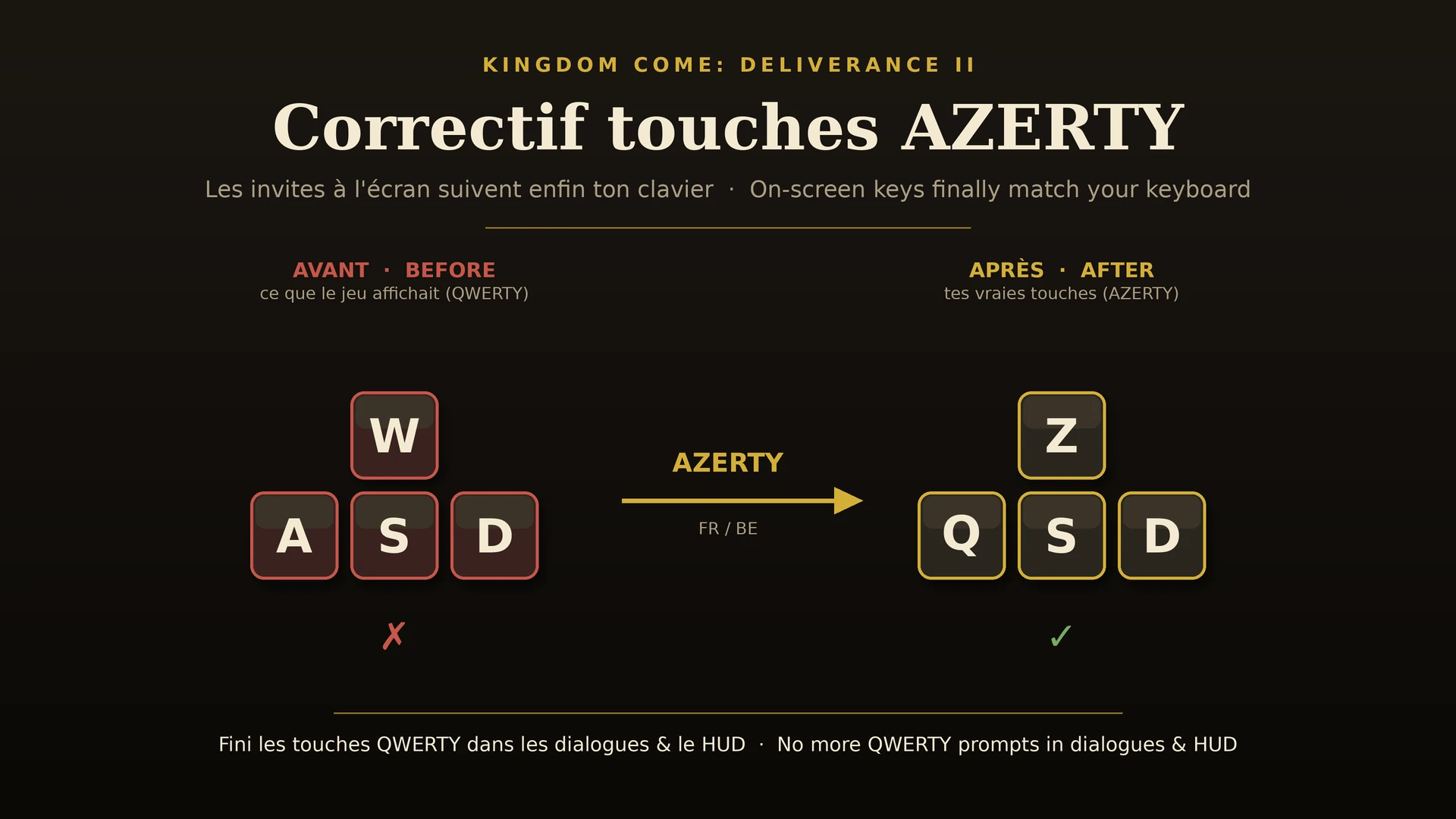
Les invites de touches (dialogues, HUD) suivent enfin ton clavier AZERTY au lieu de rester en QWERTY. On-screen key prompts finally match your AZERTY (and other non-US) keyboard instead of showing QWERTY.
 查看大图
查看大图[center][size=6][b]Correctif touches AZERTY (FR/BE)[/b][/size]
[size=3][i]Les invites de touches à l'écran suivent enfin ton clavier — fini le QWERTY.
On-screen key prompts finally match your keyboard — no more QWERTY.[/i][/size][/center]
[line]
[size=5][b]Français[/b][/size]
[size=4][b]Le problème[/b][/size]
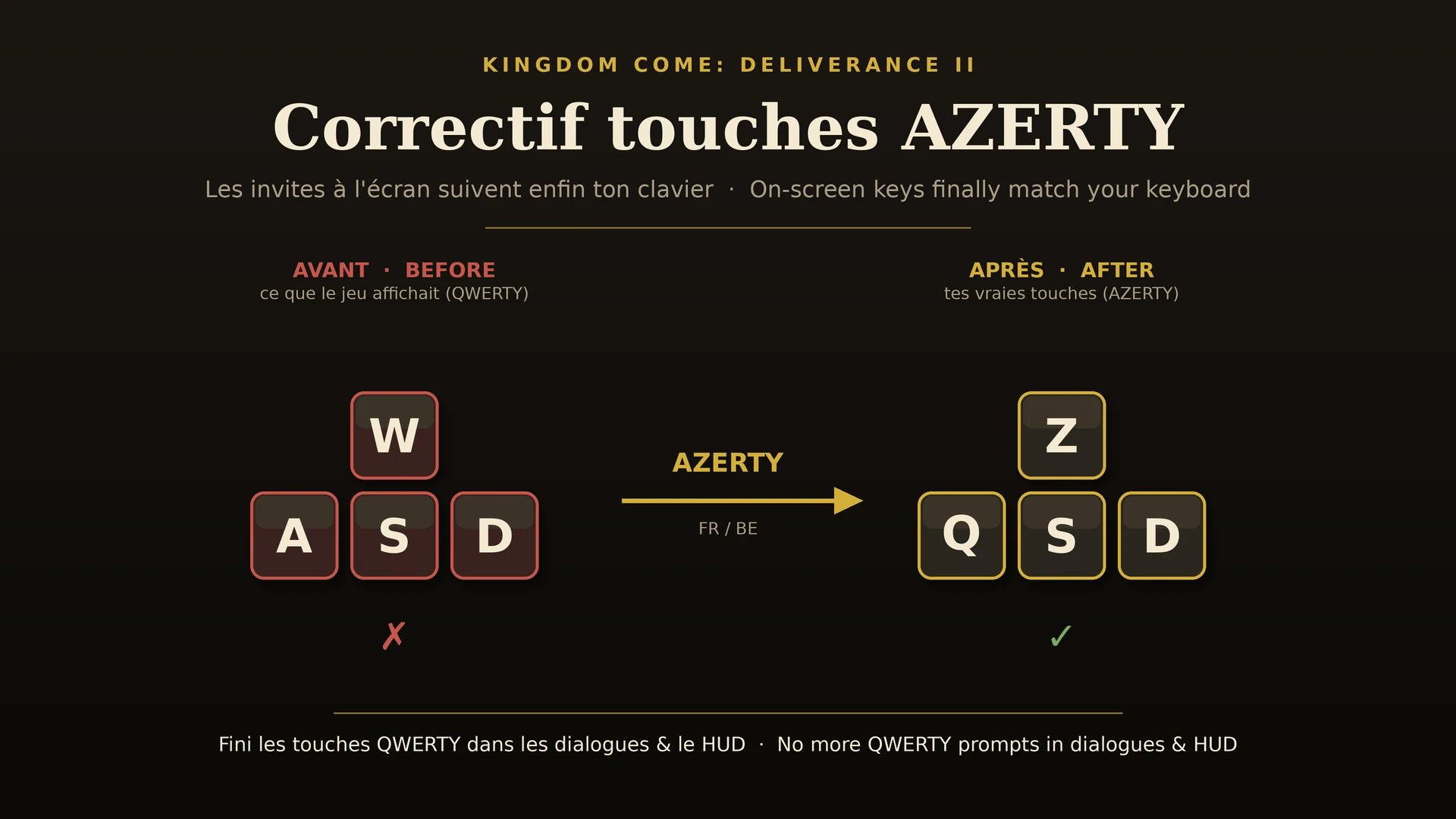
Sur un clavier [b]AZERTY[/b] (France, Belgique) — et d'autres dispositions non-US — Kingdom Come: Deliverance II affiche les touches en [b]QWERTY[/b] dans les dialogues, le HUD et les invites contextuelles. Le jeu montre par exemple [b]W A S D[/b] pour le déplacement alors que tes vraies touches sont [b]Z Q S D[/b]. Rien dans les options ne corrige cet affichage.
[size=4][b]Ce que fait le mod[/b][/size]
Il rétablit l'affichage des touches [b]réellement[/b] utilisées par ta disposition clavier, partout dans l'interface (dialogues, HUD, tutoriels, invites d'interaction). Aucune touche n'est remappée : seul l'[b]affichage[/b] est corrigé.
[size=4][b]La cause (pour les curieux)[/b][/size]
Le jeu lit l'identifiant de ta disposition clavier via l'API Windows [i]GetKeyboardLayoutName[/i], puis le compare — [b]en respectant la casse[/b] — aux identifiants listés dans [i]Libs/UI/languageKeyboardLayout.xml[/i]. Ce fichier écrit les identifiants en minuscules (ex. [i]0000040c[/i]), alors que Windows les renvoie en majuscules (ex. [i]0000040C[/i]). Les identifiants AZERTY contiennent une lettre → la comparaison échoue → le jeu se rabat sur le clavier US QWERTY. Les dispositions dont l'identifiant est purement numérique (US, RU, allemand…) ne sont jamais touchées : c'est exactement pour ça que le bug ne frappe que l'AZERTY & co. Le mod ajoute simplement, pour chaque identifiant contenant une lettre, sa variante en majuscules — la correspondance réussit donc quelle que soit la casse. [b]100 % additif[/b] : aucune entrée d'origine n'est modifiée ni supprimée.
[size=4][b]Claviers corrigés[/b][/size]
AZERTY Français (héritage & standard), Belge, mais aussi Espagnol, Amérique latine, Suisse romand, Canadien-français, Finnois, Hongrois, Islandais, Slovaque, Luxembourgeois… (toute disposition dont l'identifiant Windows contient une lettre a→f).
[size=4][b]Installation[/b][/size]
[b]Manuelle :[/b] décompresse l'archive dans le dossier [i]…\KingdomComeDeliverance2\mods\[/i] de sorte à obtenir [i]mods\azerty_key_prompts\mod.manifest[/i]. Lance le jeu. C'est tout.
[b]Vortex :[/b] « Mod Manager Download » puis Installer + Activer.
[size=4][b]Compatibilité[/b][/size]
Testé sur la version [b]1.5.6[/b]. Aucune restriction de version dans le manifeste : le mod se charge sur toutes les versions. Compatible avec tout, sauf un autre mod qui remplacerait le même fichier [i]languageKeyboardLayout.xml[/i] (rare). N'affecte pas les succès.
[size=4][b]Désinstallation[/b][/size]
Supprime le dossier [i]mods\azerty_key_prompts[/i] (ou désactive via Vortex).
[line]
[size=5][b]English[/b][/size]
[size=4][b]The problem[/b][/size]
On an [b]AZERTY[/b] keyboard (France, Belgium) — and other non-US layouts — Kingdom Come: Deliverance II shows key prompts in [b]QWERTY[/b] across dialogues, the HUD and interaction prompts. It shows e.g. [b]W A S D[/b] for movement while your real keys are [b]Z Q S D[/b]. No in-game option fixes this.
[size=4][b]What it does[/b][/size]
It makes the on-screen prompts show the keys your layout [b]actually[/b] uses, everywhere in the UI. Nothing is rebound — only the [b]display[/b] is corrected.
[size=4][b]Root cause (for the curious)[/b][/size]
The game reads your OS keyboard-layout ID via the Windows API [i]GetKeyboardLayoutName[/i] and matches it — [b]case-sensitively[/b] — against the IDs listed in [i]Libs/UI/languageKeyboardLayout.xml[/i]. That file stores them lowercase (e.g. [i]0000040c[/i]) while Windows returns them uppercase (e.g. [i]0000040C[/i]). AZERTY IDs contain a letter, so the match fails and the game falls back to US QWERTY glyphs. Digit-only IDs (US, UK, German…) can never miss — which is exactly why only AZERTY-style layouts are affected. The mod adds an uppercase twin for every letter-bearing layout ID, so the match succeeds in either case. [b]Purely additive[/b]: no vanilla entry is changed or removed.
[size=4][b]Fixed layouts[/b][/size]
French AZERTY (legacy & standard), Belgian, plus Spanish, Latin American, Swiss French, Canadian French, Finnish, Hungarian, Icelandic, Slovak, Luxembourgish… (any layout whose Windows ID contains a hex letter a–f).
[size=4][b]Installation[/b][/size]
[b]Manual:[/b] extract the archive into [i]…\KingdomComeDeliverance2\mods\[/i] so you get [i]mods\azerty_key_prompts\mod.manifest[/i]. Launch the game.
[b]Vortex:[/b] Mod Manager Download, then Install + Enable.
[size=4][b]Compatibility[/b][/size]
Tested on [b]1.5.6[/b]. No version lock in the manifest, so it loads on any version. Compatible with everything except another mod replacing the same [i]languageKeyboardLayout.xml[/i]. Does not disable achievements.
[size=4][b]Uninstall[/b][/size]
Delete the [i]mods\azerty_key_prompts[/i] folder (or disable in Vortex).
[line]
[center][size=2][i]Made by and for the AZERTY community. Feel free to translate, reuse or improve.[/i][/size][/center]
还没有人评论,去客户端里说两句吧。
评论在新手盒子客户端中发表,这里同步展示。