Expanded Building
Plan massive builds in Creative, gather the required materials, and let the Builder bring your blueprint to life block by block.
 查看大图
查看大图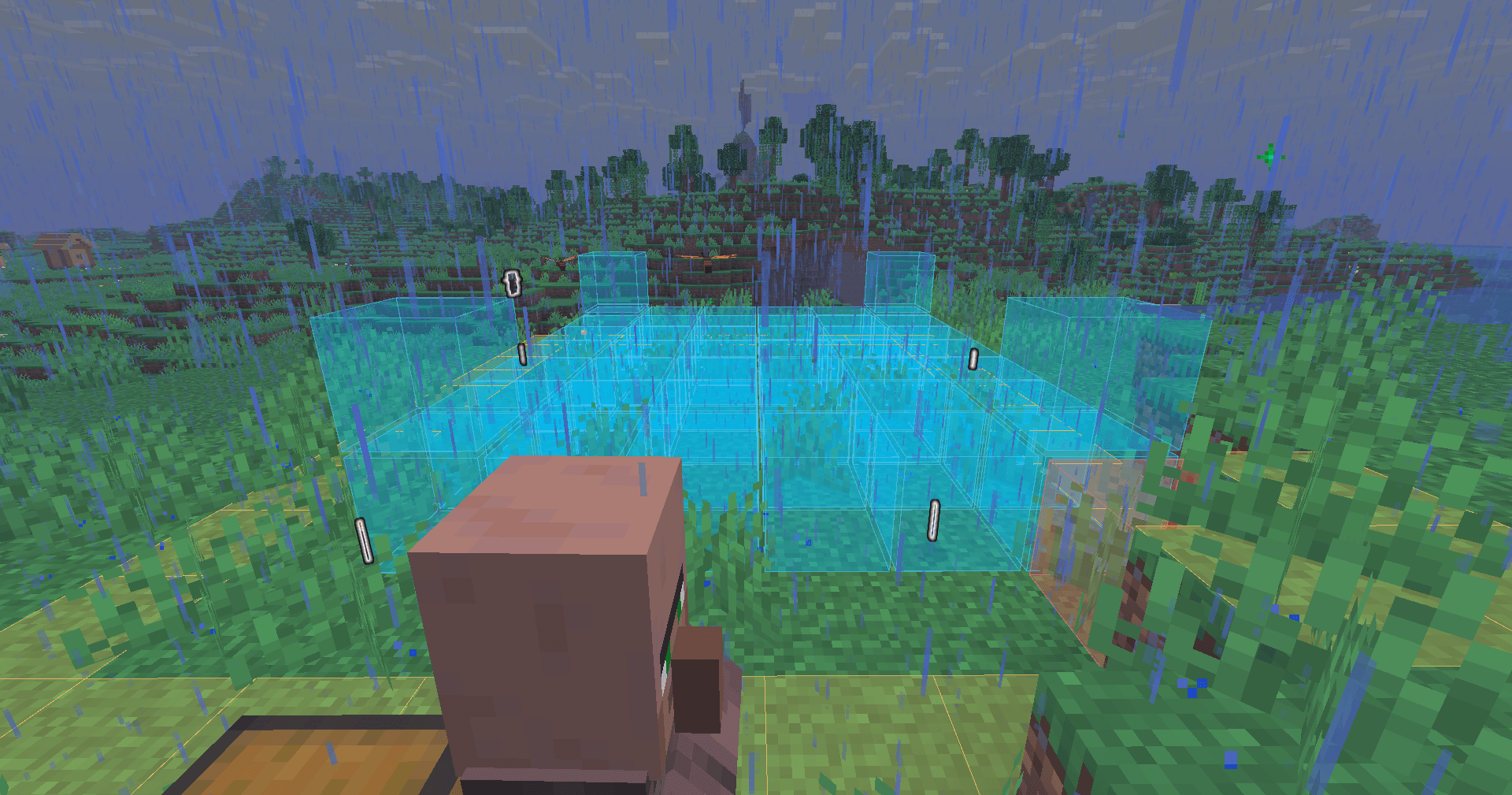
🏗️ Expanded Building
Plan your build in Creative. Pay for it in Survival. Let a builder put it up for you.
Expanded Building gives you a protected Creative planning mode inside a marked-off site. Design freely, finish the plan, and the world snaps back exactly as it was — your design stays behind as a ghost blueprint. Hand the required materials to a Builder NPC, and he puts your building up block by block, in real Survival, using real resources.
No creative items leak out. No duplication. Nothing is built for free.
✨ How it works
- 🪄 Left-click a block with the Builder's Wand to set corner one, right-click for corner two.
- 📐 The site is marked on the ground and spans the full world height — cellars and towers included.
- 🎨 Your inventory and game mode are safely stored away and you switch to protected Creative. Build whatever you like inside the site.
- ⛏️ Clear terrain while you plan. Level a hill, dig out a cellar, remove the grass that's in your way.
- ✅ Finish the plan at the builder. The site is restored to the exact state it was in, and your real inventory comes back.
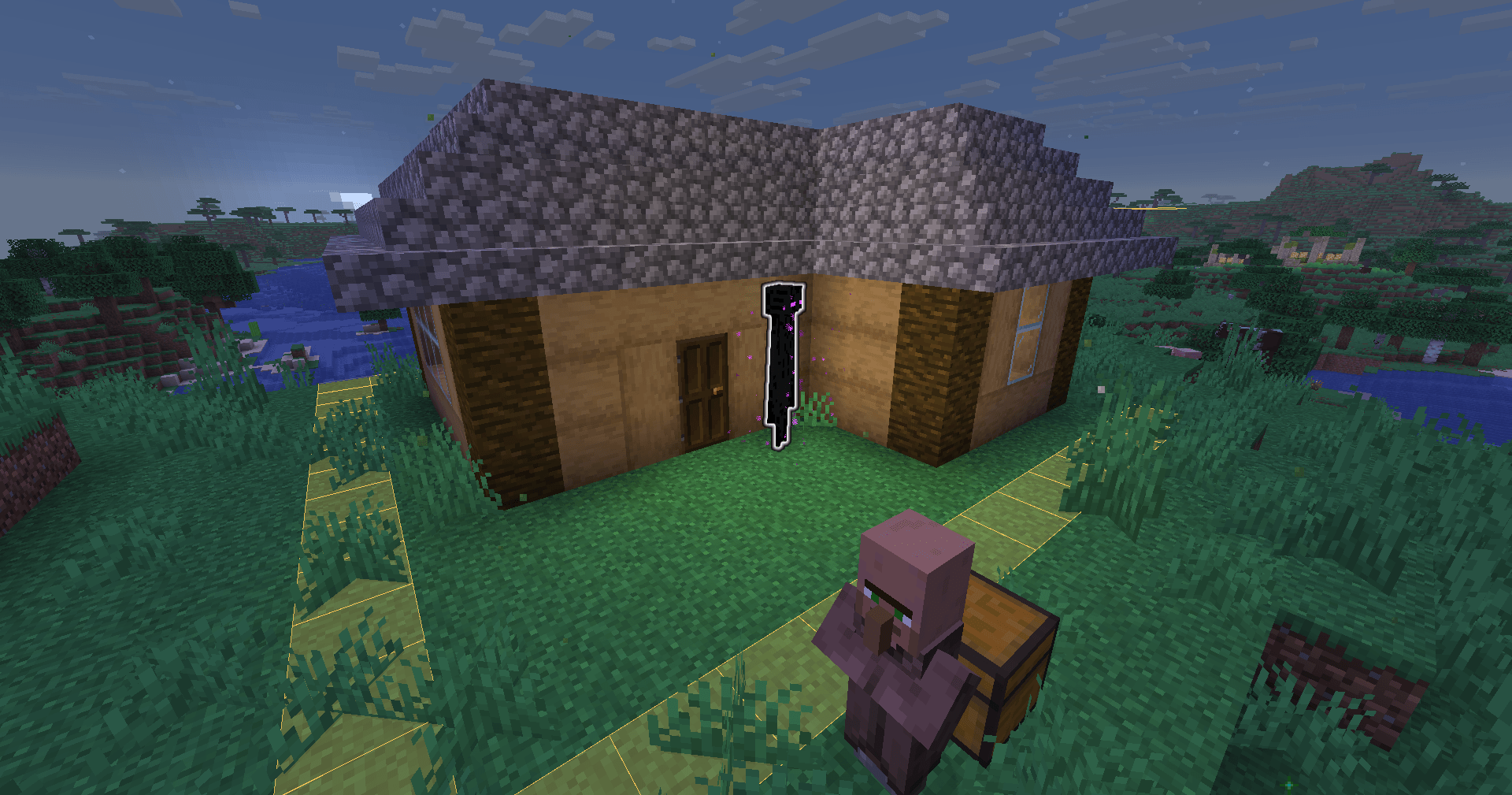
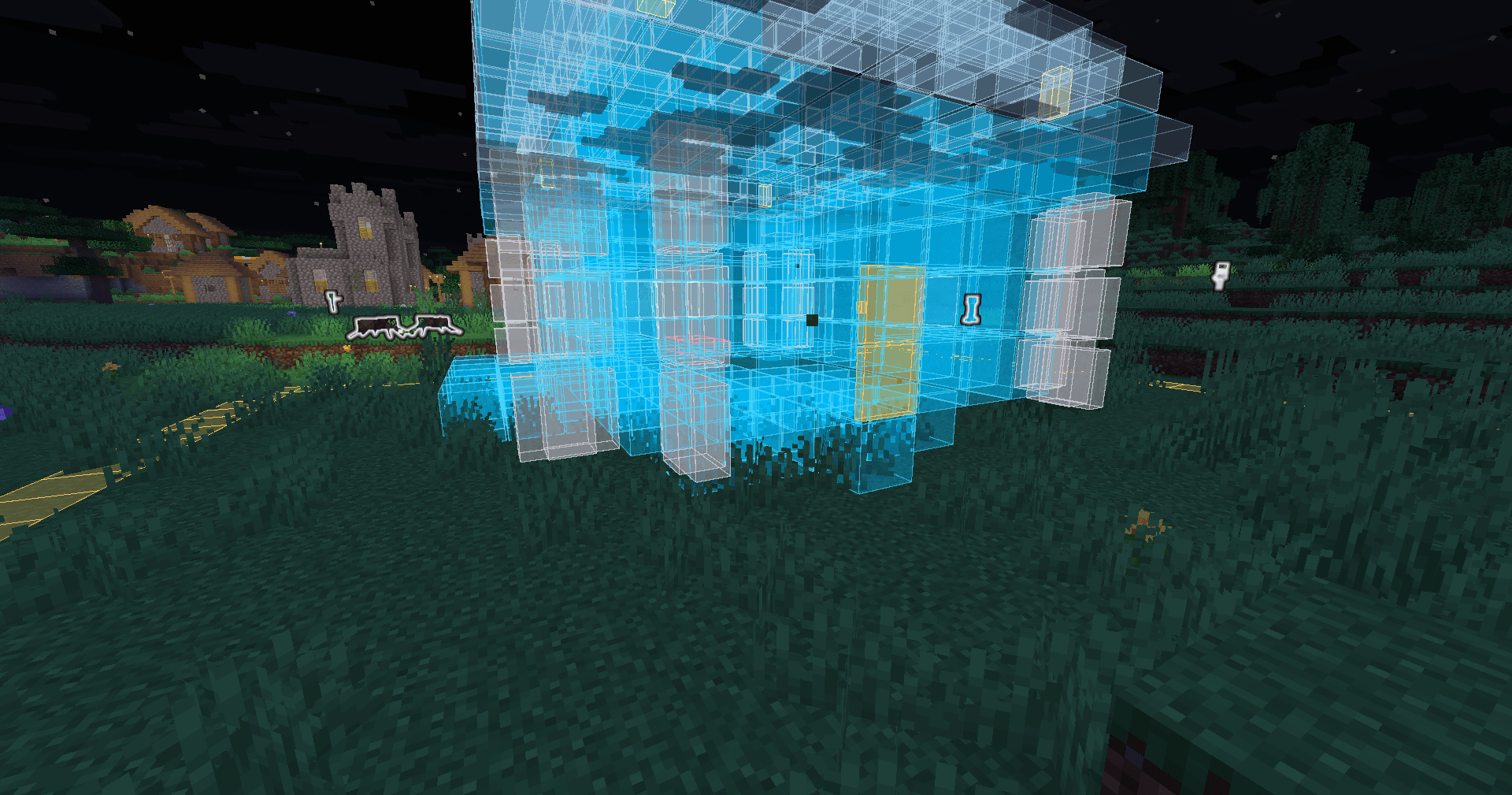
- 👻 Your design stays visible as a ghost: blue for blocks to place, red for ground to clear.
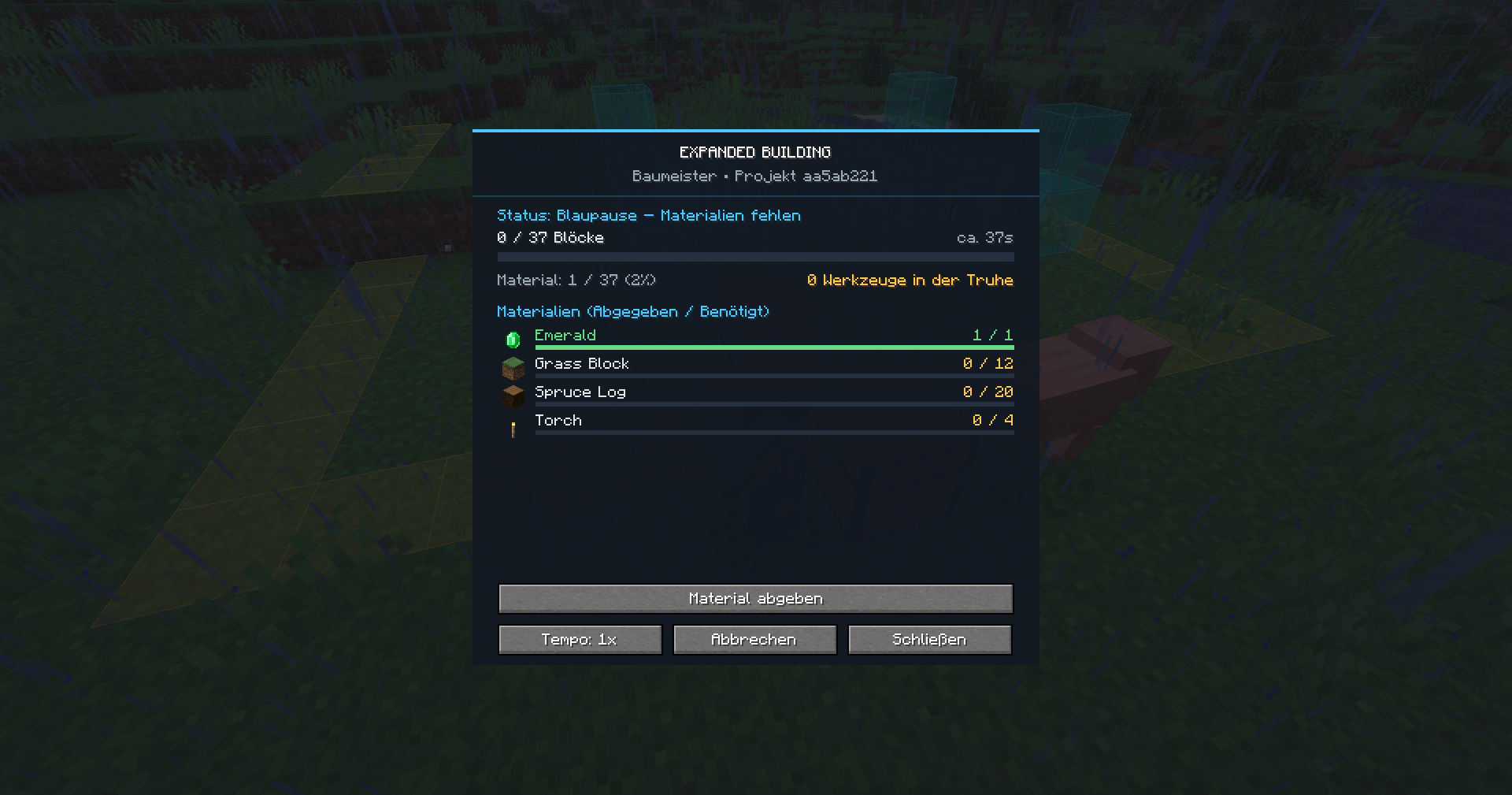
- 📦 Hand over the materials the blueprint needs, plus the builder's wage.
- 🧰 If the plan clears any ground, the builder needs tools. Put them in his chest — he wears them down as he digs, and stops when there is nothing usable left.
- 🔨 Start the build and watch it go up.
📐 Save, share and place blueprints
A finished plan does not have to stay where you drew it.
- 💾 Save a blueprint to a file, and share it — someone else drops it in their folder and builds the same thing.
- 👀 Load it and walk it into place. The blueprint appears as a live preview around you and follows you as you move. It is green while it fits, red when it would hang over the edge.
- 🖱️ Right-click to confirm, sneak + right-click to cancel. Nothing is written until you click, so aiming costs nothing.
- 🔄 Rotate it in 90° steps — stairs, doors, fences and beds turn with it — and shift it up or down for cellars.
- ⛰️ Pasting onto a slope just works: the blueprint clears its own footprint, so terrain never pokes up through your floor.
✏️ Change your mind later
Reopen a finished plan at any time — even in the middle of a build. The builder pauses, your design comes back as editable blocks, and you carry on where you left off.
- Blocks already standing are never charged twice.
- Add to the plan and only the difference has to be paid before the build resumes.
- Remove from it and the overpayment comes straight back.
⚡ Build speed
A large project would otherwise run for hours, so the builder can be hurried along — for a price. Switch the pace any time, even mid-build.
| Speed | Building | Clearing | 5000 blocks | Wage |
|---|---|---|---|---|
| 1x | 1 block/s | 2 blocks/s | ~83 min | base fee |
| 4x | 4 blocks/s | 10 blocks/s | ~21 min | 2× base fee |
| 20x | 20 blocks/s | 20 blocks/s | ~4 min | 5× base fee |
Drop back to a slower pace and the difference is refunded immediately — paying for a fast builder up front is never a one-way street.
🔒 Your build site is protected
An active site is guarded at a single choke point in the world, which means it is safe from all of this at once:
- 💥 Explosions, creepers, TNT and withers
- 🔥 Fire spread
- 💧 Water and lava flowing in
- 🧨 Pistons pushing blocks in or out
- 🐑 Mob griefing and falling blocks
- 👥 Other players — they cannot place, break or open anything on your site
🛟 It survives things going wrong
- 💀 Die during planning? Your real inventory comes back, and no creative items drop.
- 🔌 Disconnect? The site is restored and your inventory is waiting on your next login.
- 🚶 Wander off? Planning ends on its own and your plan is saved, not lost — walk back to the builder and carry on.
- 💣 Server crash mid-build? Material is journaled to disk before the world is touched, so nothing is duplicated and nothing is lost.
- 🧙 Builder gone?
/eb recovernpcputs him back.
🌍 Languages
Ships in English, German, Spanish and Turkish. Any other language falls back to English.
🪄 Getting the wand
The Builder's Wand is crafted from one emerald and two sticks, and the recipe is known from the very start — no unlock, no grinding. You'll also find it in the Tools & Utilities creative tab.
  E      E = Emerald
 S       S = Stick
S
⚙️ Configuration
Everything below lives in config/expanded_building.json:
- 📏 Site size — unlimited by default, and each axis can be capped on its own
- 🔢 Projects per player — 3 by default
- 🧮 Blueprint block limit — 100,000 by default
- ⏱️ Build and clearing pace, plus the maximum speed players may pick
- 💎 Emerald wage — rate, minimum, maximum and a hard ceiling
- 🚶 How far you may wander before planning mode ends
- 🚰 Fluids and block entities — off by default for safety, and can be enabled
📋 Commands
/expandedbuilding — or just /eb.
/eb give— hand out the wand (admins)/eb projects— list your own active projects/eb menu <id>— open a project without the NPC/eb recovernpc <id>— re-place a lost builder/eb recover— resolve a stuck planning session or refund/eb blueprint save <name> <id>— save a plan to a file/eb blueprint list— show saved blueprints/eb blueprint load <name>— start placing one/eb blueprint rotate [degrees]/shift <dy>— aim it/eb blueprint confirm/cancel/undo— place it, drop it, take it back
Project ids can be typed as the short form shown in the lists.
📦 Requirements
- Fabric Loader 0.19.3 or newer
- Fabric API
- Java 25
💬 Information and Support
Found a bug, got an idea, or want to hear about updates first? Come and say hello on Discord — it's by far the fastest way to reach me:
显示 1-12 条,共 12 条
以上为资源接口提供的文件记录。安装时请在客户端确认文件、游戏版本及依赖。
还没有人评论,去客户端里说两句吧。
评论在新手盒子客户端中发表,这里同步展示。