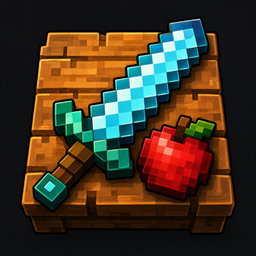
FlatPlaced
Place swords, tools, food, books, ores and other items flat on top of blocks without item frames.
FlatPlaced lets you place ordinary Minecraft items directly on top of blocks as 3D objects without using item frames. Display swords, pickaxes, axes, food, books, ores, ingots, gems, redstone and many other non-block items on tables, storage rooms, workshops, shops and museums. Features - Place swords, pickaxes, axes and other tools directly on blocks. - Display food, books, ores, ingots, gems, redstone and other resources. - Items lie flat on the block surface like objects placed on a table. - Items use Minecraft's existing 3D item models. - No item frames are required. - Works in Survival and Creative mode. - Right-click the top of a block to place an item. - Right-click the same spot again to pick the item back up. - Blocks are not affected and keep their normal Minecraft behavior. - Hold Shift while right-clicking to keep the normal Minecraft interaction. How to use 1. Hold a non-block item in your hand. 2. Right-click the top surface of a solid block. 3. The item will be placed flat on the block. 4. Right-click the same spot again to pick it up. Supported version - Minecraft Java Edition 1.20.1 - Minecraft Forge 47.2.0 Installation 1. Install Minecraft Forge 1.20.1. 2. Download the FlatPlaced jar file. 3. Put the jar file into your .minecraft/mods folder. 4. Launch Minecraft using the Forge profile. Blocks are intentionally excluded from the placement system and continue to behave normally.
还没有人评论,去客户端里说两句吧。
评论在新手盒子客户端中发表,这里同步展示。