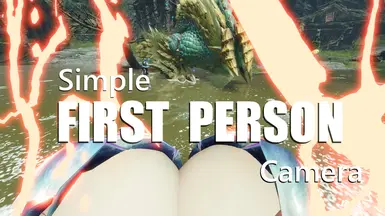
简单的第一人称视角与摄像机偏移
此模组可让你在自定义预设、第一人称和原版视角之间即时切换。
 查看大图
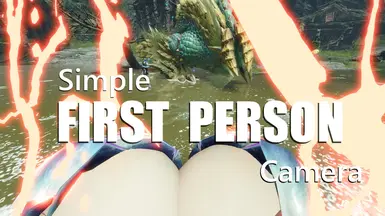
查看大图This mod primarily adds a first-person perspective camera to the game, initially created just to satisfy my personal desire to observe... certain details up close in first-person view.
It provides a practical first-person perspective for close-up observation of Rathalos scales or... other subtle character animations. Additionally, this feature is based on an excellent mod Camera Offset by NiyaKhalifa, for which I am deeply grateful. This mod allows you to adjust the game camera's distance, height, and even add rotation angles.
Japanese explanation will be added later, but in short, it's a mod that combines free camera adjustments with a first-person camera, offering more flexibility than the official version. Chinese explanation will be added soon. In summary, it's a mod that not only allows free adjustment of camera parameters but also enables first-person perspective. Please credit the source if reposted.
Features
- First-person perspective, as the name suggests. After several updates, it works quite well.
- Two control methods for third-person camera.
- Freely adjustable camera distance, horizontal offset, and height; though possibly unnecessary, it also allows adding rotation angles.
- Remembers and restores your settings after re-enabling the mod or re-entering the game.
- 4 preset slots for convenient camera setting storage.
Known issues:
- DOF does not work properly.
What you gain in my first-person mode:
- Precise camera position, avoiding getting stuck in the character's head as much as possible.
- A mechanism that restricts camera rotation to a cone aligned with the character's actual facing direction, so rotating the camera won't twist the hunter's neck.
- A more action-oriented mode with stable camera unaffected by the character's head movements.
- A more realistic mode, also my personal favorite. The camera is actually bound to the character's head direction. For example, when the hunter lies face up, the camera faces the sky; when the character turns to perform weapon animations, the camera rotates accordingly.
- To make head-binding mode more playable, I added a smoothing mechanism that preserves all actual character model movements. For instance, during weapon animations where the character rotates, your view remains stationary if there's no input, as long as the angle doesn't cause neck twisting. Additionally, if your character rotates back from the same side, the view actually returns to the same position as before the animation started.
- Toggleable auto-zoom when aiming with ranged weapons.
Requirements & Installation
Requires REFramework to run. Thanks to praydog2 for their excellent work.
- First, install REFramework if you haven't already.
- Download the .zip file, extract it, and place the files into the game folder. Alternatively, use tools like fluffyManager.
- Done. The Lua file should be placed in
game folder\reframework\autorun.
Usage
Press Insert to open the REFramework menu.
There is a button to display the camera settings window. Another button is for viewing and configuring hotkeys.
Almost everything else is within the menu window.
Some greatsword actions using head-binding mode.
Using my mod, it's actually possible to aim with a bow through the model.
By the way, I actually spent a lot of effort trying to calculate camera positions using quaternions, but ultimately failed completely. If anyone is familiar with quaternion rotation in calculations and is willing to share some knowledge, please feel free to contact me or leave a comment. I would be very grateful.
Credits
Again, thanks to praydog2 for REFramework, which is nothing short of a miracle.
Thanks to NiyaKhalifa for Camera Offset. Without your work, I couldn't have made this.
Mods used in screenshots:
正在加载版本记录…
正在加载评论…
评论在新手盒子客户端中发表,这里同步展示。