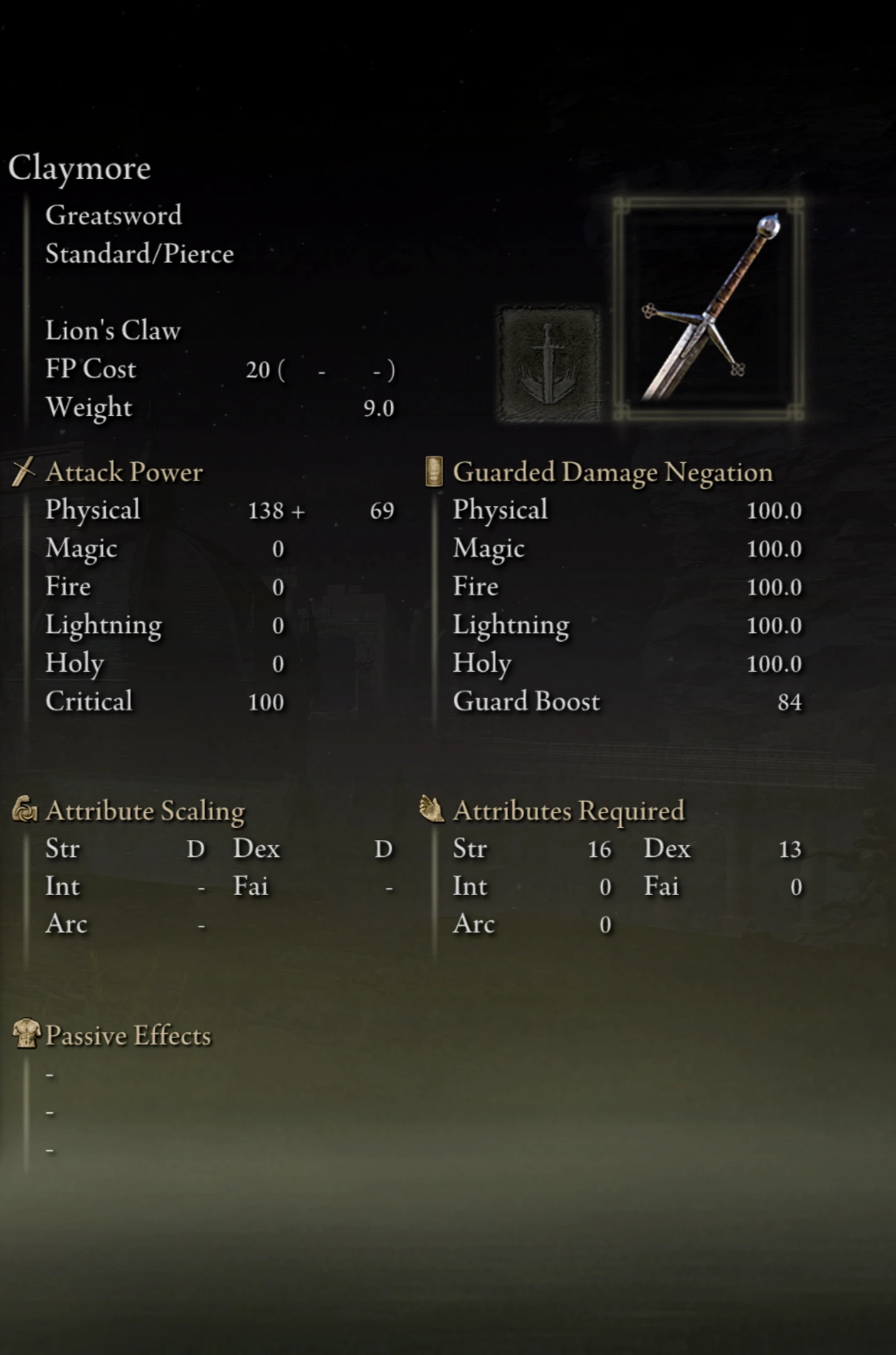
完全格挡伤害
使用任意武器格挡敌人攻击且完全不受到伤害。但不包括短弓、弓、大弓、弩和盾牌。2026年1月1日编辑:添加了1.5防护强化的变体。2026年9月3日编辑:已针对艾尔登法环1.17更新。
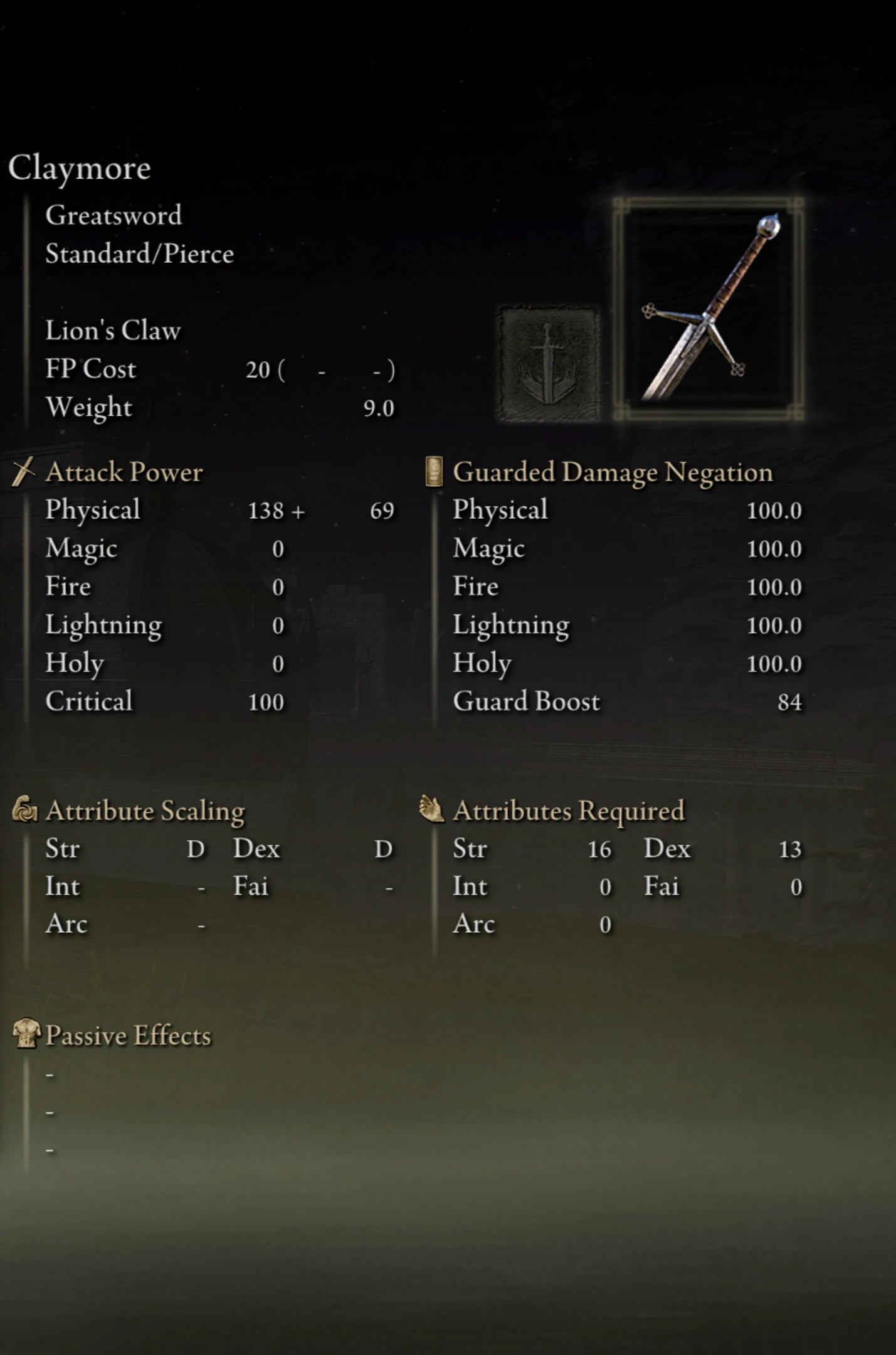 查看大图
查看大图[size=4]扔掉盾牌,双持武器的时候到了![/size]
[size=5]功能[/size]
[size=3]1. 所有武器的所有伤害减免提升至 100。
2. 所有武器的防御强度翻倍。[/size]
[size=5]注意[/size]
1. 要想用右手武器格挡,必须先双持它。按 X + RB 双持右手武器。按 LB 进行格挡。
2. 提供了仅针对物理伤害的若干变体。
[size=5]安装[/size]
要使用此模组,你需要 [url=https://github.com/soulsmods/ModEngine2/releases]Mod Engine 2[color=#ffffff]:[/color]
[/url]
[size=4]1. 安装 Mod Engine 2[/size]
[size=3]- 下载地址:[/size][url=https://github.com/soulsmods/ModEngine2/releases]https://github.com/soulsmods/ModEngine2/releases[/url]
[size=3]- 解压 ZIP 文件并将内容复制到你的 <游戏文件夹>。(例如:Game\Elden Ring\)[/size]
[size=3]- 打开 "launchmod_eldenring.bat" 文件并添加你的游戏路径。[/size]
[i]
从:
.\modengine2_launcher.exe -t er -c .\config_eldenring.toml
改为:
.\modengine2_launcher.exe -t er -c .\config_eldenring.toml --game-path ".\\eldenring.exe"[/i]
[size=3]- 运行 "launchmod_eldenring.bat" 开始游戏。[/size]
[size=4]2. 将此模组添加到 Mod Engine 2。[/size]
[size=3]- 下载此模组。[/size]
[size=3]- 解压 ZIP 文件并将内容复制到 <游戏文件夹>\mod。(例如:Game\Elden Ring\mod\)[/size]
[size=3]- 打开 "config_eldenring.toml" 并修改:[/size]
[i]{ enabled = true, name = "blockdamagecompletely", path = "mod\\blockdamagecompletely" }[/i]
[size=5]
与其他模组合并:[/size]
[size=3]此模组修改了 "regulation.bin" 中 param [/size]EquipParamWeapon [size=3]的武器行中的 [/size]physGuardCutRate、magGuardCutRate、fireGuardCutRate、thunGuardCutRate、darkGuardCutRate 和 staminaGuardDef 属性。
你可以使用 [/size][url=https://www.nexusmods.com/eldenring/mods/4928]Smithbox[/url][size=3] 将此模组与其他模组合并。
按照 [/size][url=https://www.youtube.com/watch?v=f0hezLA4B6M&t=543s]Mr.Golden_YT 在 YouTube 上的教程[/url][size=3] 合并 "regulation.bin" 文件。
zip 文件中包含用于与其他模组合并的 CSV 文件
不过,具体步骤在下方提供[/size][size=3]:[/size] [size=3] [/size]
[b][size=4]1. [/size][/b][size=3]在 Smithbox 中,点击 Param Editor,然后点击 EquipParamWeapon。[/size]
[size=4][b]2. [/b][size=3]转到 Data -> Import CSV -> From file... -> All fields,然后选择你已下载的 [/size]"EquipParamWeapon.csv"。不要忘记保存。[/size]
[size=5][u]支持
[/u][/size][size=3]1. 看看我的其他模组:[url=https://www.nexusmods.com/eldenring/mods/9106]Shields Block Everything[/url]
你可以在 Ko-Fi 上支持我 :)[/size]
在[url=https://ko-fi.com/hanijay]此处[/url]捐赠。
正在加载版本记录…
正在加载评论…
评论在新手盒子客户端中发表,这里同步展示。