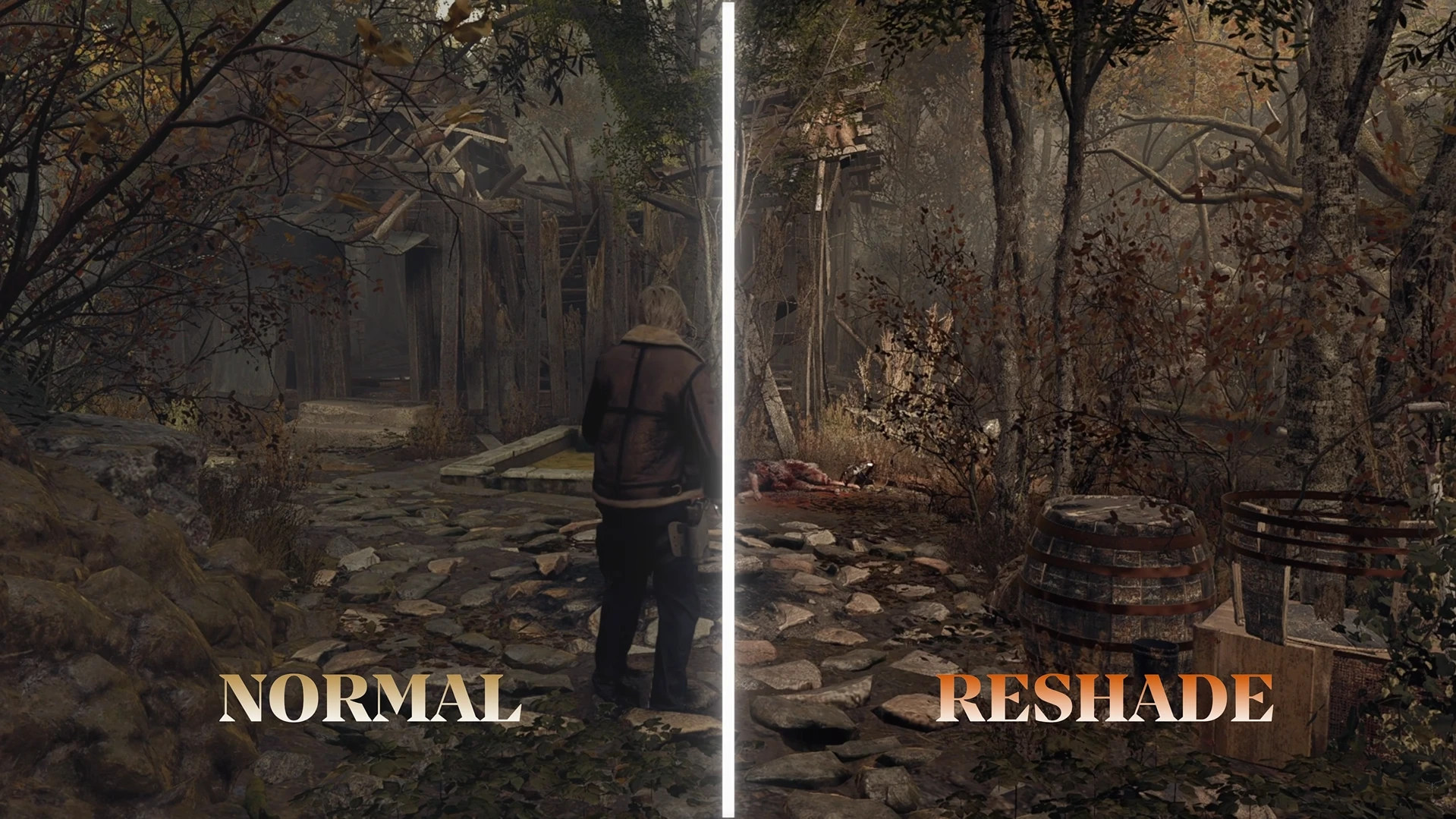
经典ReShade色彩
我制作了一个简单的ReShade预设,它不会改变游戏的锐度,但会增加一种灵感来自2005年原版游戏的色彩风格。我做了一个简单的reshade,不改动游戏的清晰度,但添加了一种受2005年原版游戏启发的色调。
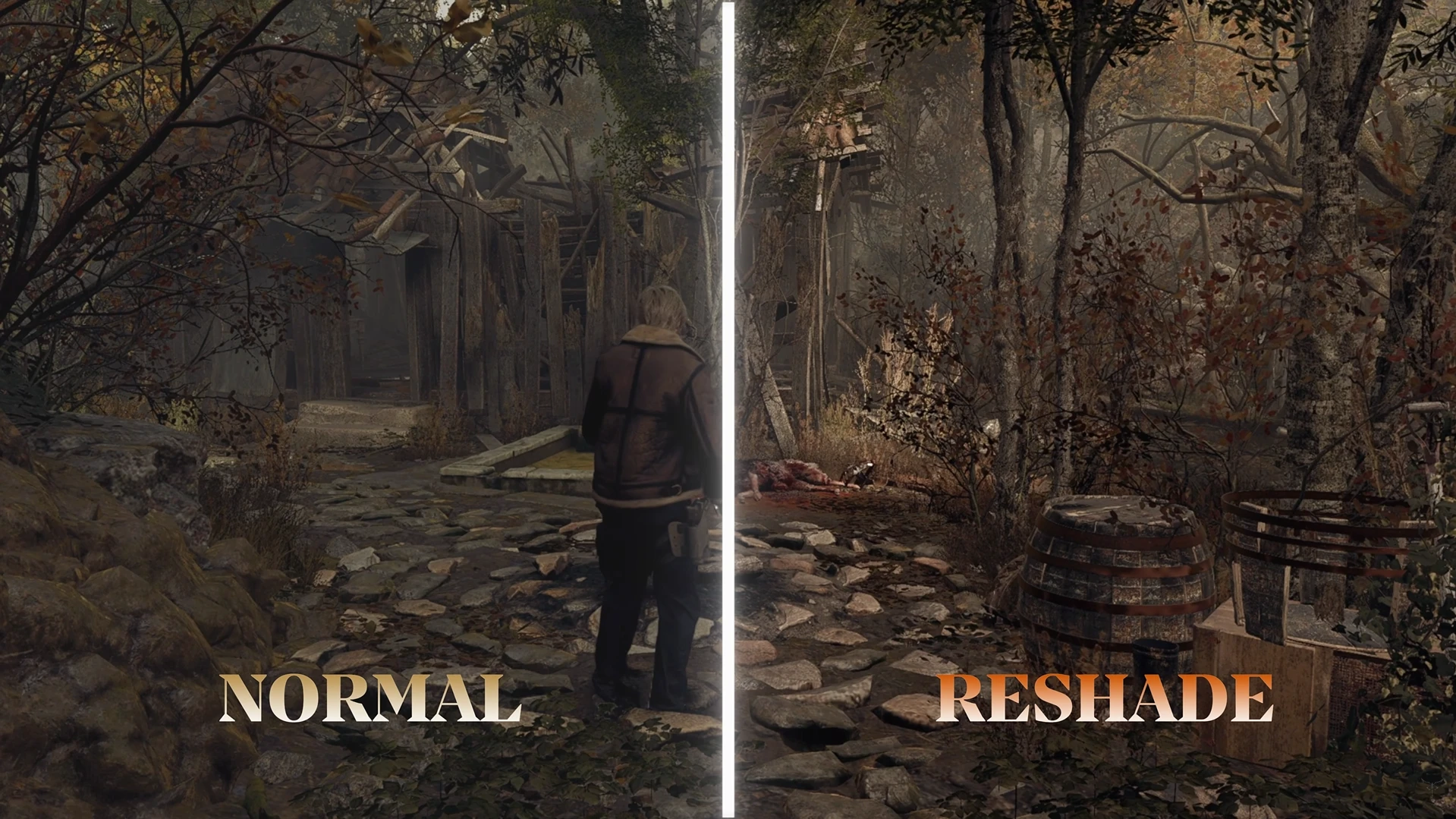 查看大图
查看大图描述
🇧🇷 葡萄牙语
此 ReShade 预设的目标是调整色彩、对比度和饱和度,使其更接近 2005 年原版游戏的视觉氛围,同时保留重制版的独特身份和特性。 该预设旨在提供一种细微的视觉增强,避免过度修改或添加会影响原始体验的沉重特效。它轻量、优化良好,即使在低端设备上也能表现出色,在不牺牲性能的前提下提供焕然一新的视觉氛围。
🇺🇸 英语
The goal of this ReShade is to adjust the color palette, contrast, and saturation to bring the visual atmosphere closer to the original 2005 game, while still preserving the unique identity and characteristics of the remake. This preset was designed to be a subtle visual enhancement, avoiding excessive changes or heavy effects that could compromise the original experience. It is lightweight, optimized, and works very well even on lower-end devices, providing a refreshed atmosphere without sacrificing performance.
安装教程
如何安装 ReShade
- 从官方网站下载 ReShade: https://reshade.me/
- 打开安装程序,选择游戏的 .exe 文件。
- 选择游戏使用的图形 API:
- DirectX 9 用于老游戏
- DirectX 10/11/12 用于较新的游戏
- Vulkan 当需要时
- 安装 ReShade 的标准效果(Standard Effects)。
- 将预设的 .ini 文件 放入游戏主文件夹(即游戏所在文件夹)。
- 打开游戏,按下 HOME/POS1 键打开 ReShade 菜单。
- 选择已安装的预设并开始享受。
如何安装 ReShade:
- 从官方网站下载 ReShade: https://reshade.me/
- 打开 安装程序并选择游戏的 .exe 文件。
- 选择游戏所使用的图形 API:
- DirectX 9 用于较老的游戏
- DirectX 10/11/12 用于较新的游戏
- Vulkan(如需要)。
- 安装默认效果(默认效果)。
- 将 预设 .ini 文件 放入游戏主文件夹(与游戏文件相同的目录)。
- 启动游戏,按下 HOME/POS1 键打开 ReShade 菜单。
- 选择已安装的预设并开始享受。
要卸载 ReShade,只需重新打开安装程序并选择 卸载 选项即可。
主要特点
- 改变了色彩方案。
要求
- Reshade.me
特别鸣谢
感谢激励我的 reshade 社区!
正在加载版本记录…
正在加载评论…
评论在新手盒子客户端中发表,这里同步展示。