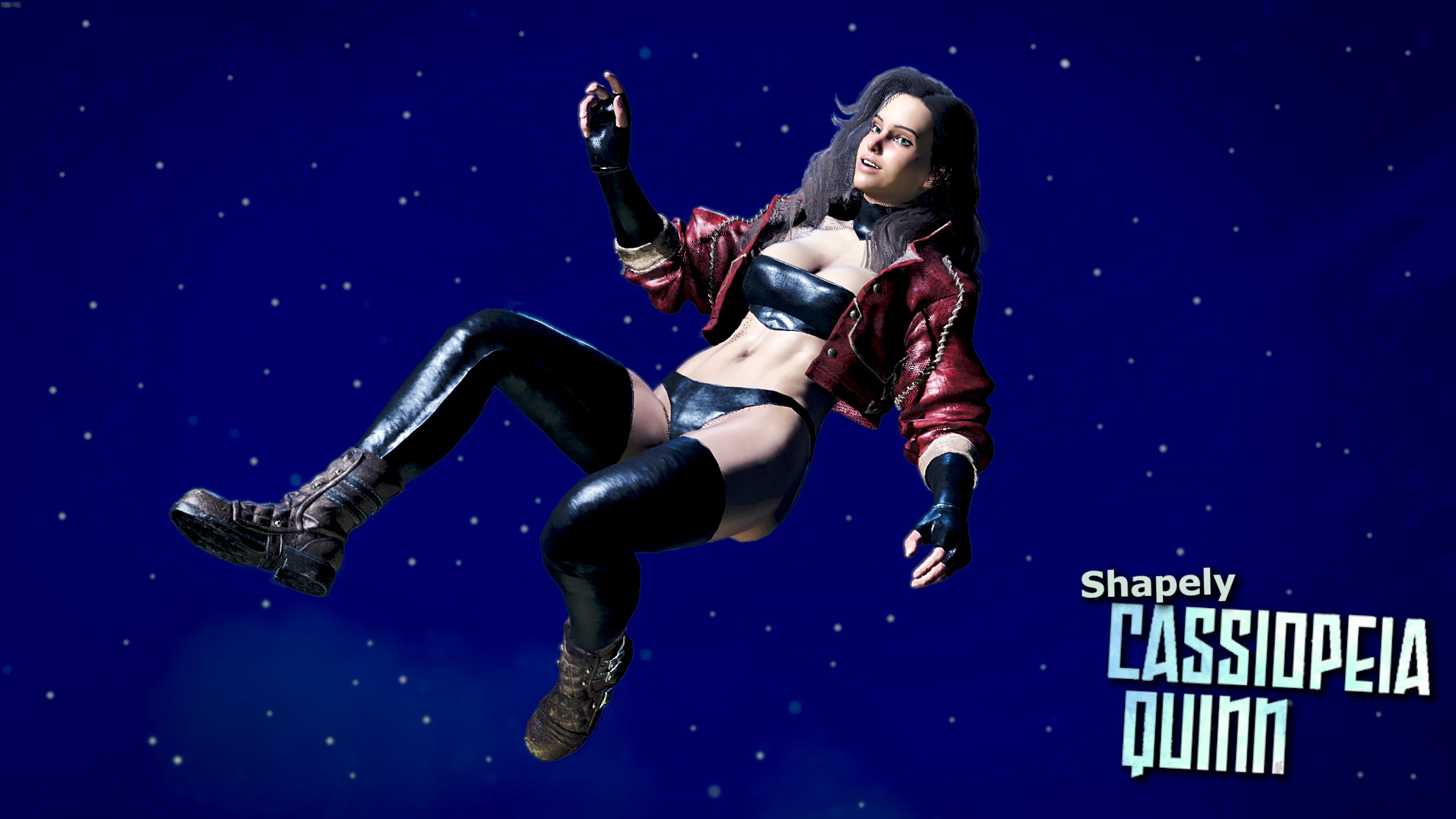
Shapely Cassiopeia Quinn
Replaces the Chainmail M set with a design made after the character Cassiopeia Quinn from the webcomic of the same name.
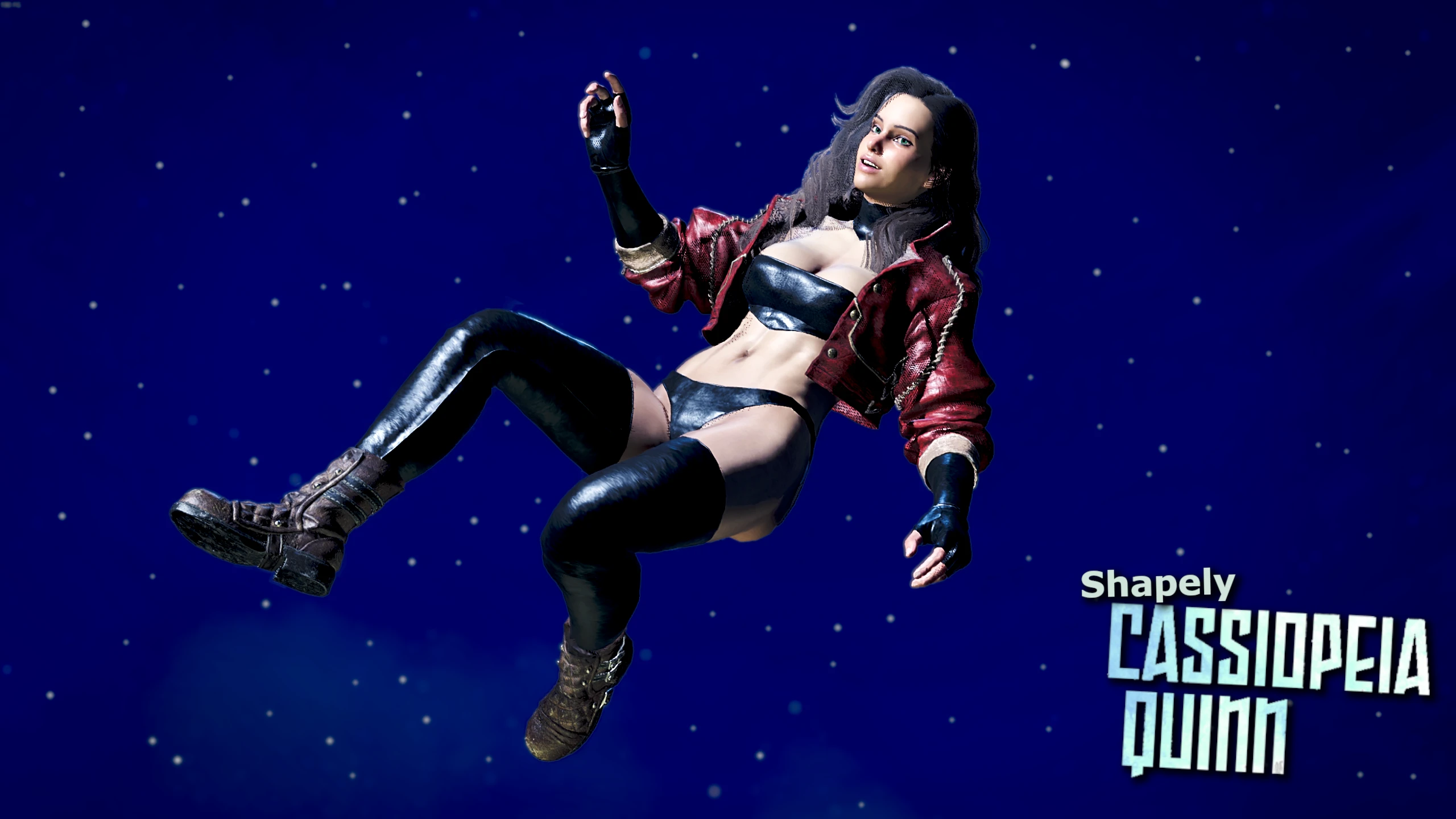 查看大图
查看大图[size=3][img]https://i.ibb.co/CPQbHj1/Safe2Use.png[/img][/size]
We do these things not because they are easy, but because we thought they would be easy.
Replaces every part of the chainmail M set EXCEPT the helmet, which is untouched.
Modeled after the titular character of the webcomic [url=https://www.cassiopeiaquinn.com/]Cassiopeia Quinn[/url]. Despite the rather revealing outfit worn by the main character, it's actually a surprisingly wholesome comic. I recommend it, even if it updates slowly.
[img]https://i.ibb.co/0XkQZ6s/Pahla-Plate-Installation.png[/img]
[size=4]
1. Install [/size][size=4][url=https://www.nexusmods.com/monsterhunterwilds/mods/93]REFramework[/url].
2. Boot up the game and enable the [b]Loose File Loader[/b] via the REFramework window.
[b]- OPTION 1: Fluffy's Mod Manager -[/b]
3. Drag and drop the .rar file on top of Fluffy, and it will automatically be added to the list. Then simply enable it and boot up the game.
[b]- OPTION 2: MANUAL -
[/b]
3. Extract the .rar and extract the contained natives folder into [/size][i][size=4]C:\Program Files (x86)\Steam\steamapps\common\MonsterHunterWilds[/size]
[/i]
[size=3]-----------------------------------------------------------[/size]
[size=3][b]To Uninstall:
[/b][/size]
[size=3]1. Go into [i]C:\Program Files (x86)\Steam\steamapps\common\MonsterHunterWilds\natives\STM\Art\Model\Character\ch03
[/i][/size]
[size=3]2. Delete the the folder titled [i]006[/i][/size]
[i]3. Go into C:\Program Files (x86)\Steam\steamapps\common\MonsterHunterWilds\natives\STM\GameDesign\Equip\Armor\Male
4. Delete the the folder titled 006[/i]
------------------------------------------------------------------
[size=3][size=5]If you want to only use individual parts of this mod, or ANY armor mod not uploaded as a .pak:[/size]
[size=3]Open the folder you would delete if you were following the instructions to uninstall the mod and open the [i]000 [/i]and/or the [i]001[/i] folder.
Inside you'll find up to 6 folders. Delete the folder corresponding to any piece you don't want.
1 - Arms
2 - Chest
3 - Helm
4 - Legs
5 - Waist
6 - Slinger[/size][/size]
[size=3][img]https://i.ibb.co/VvLthCf/Pahla-Template-Support.png[/img][/size]
[size=5]If you like my work, please consider supporting me via [url=https://www.patreon.com/ParticulatePommels]Patreon[/url] or [url=https://ko-fi.com/particulatepommels]Ko-fi[/url]![/size]
All my mods will [b][u]ALWAYS[/u] [/b]be completely [b][u]FREE[/u][/b].
[size=3]This is just for those who want to give me the extra support for my work.[/size]
[size=5]I also have a [url=https://discord.gg/9VCUNAJWx6]discord[/url] server where I post when a new mod is released or updated, as well as the occasional WIP file. Patrons or Ko-fi donors also get access to social channels.[/size]
[b][size=6] Thank you for your support! [/size]
[/b]
[img]https://i.ibb.co/THzdQWx/Pahla-Plate-Update-Log.png[/img]
[list]
[][size=4][b]1.0 - Mod Released[/b][/size][/]
[][size=4][b]1.0.1 - Compatibility patch[/b][/size][/]
[/list]
[img]https://i.ibb.co/9ptD9TD/Pahla-Plate-Special-Thanks.png[/img]
[size=4]To [url=https://www.nexusmods.com/monsterhunterrise/users/91903498]Serah[/url] for helping me (read: did 95% of the work) spruce up my mod pages to make them look more professional![/size]
[b][size=4]And to everyone who uses my mods![/size][/b]
Don't be shy about uploading screenshots, I love to see how other hunters look in my mods!
![https://i.ibb.co/CPQbHj1/Safe2Use.png[/img][/size]](https://i.ibb.co/CPQbHj1/Safe2Use.png%5B/img%5D%5B/size%5D)
![https://i.ibb.co/0XkQZ6s/Pahla-Plate-Installation.png[/img]](https://i.ibb.co/0XkQZ6s/Pahla-Plate-Installation.png%5B/img%5D)
![https://i.ibb.co/VvLthCf/Pahla-Template-Support.png[/img][/size]](https://i.ibb.co/VvLthCf/Pahla-Template-Support.png%5B/img%5D%5B/size%5D)
![https://i.ibb.co/THzdQWx/Pahla-Plate-Update-Log.png[/img]](https://i.ibb.co/THzdQWx/Pahla-Plate-Update-Log.png%5B/img%5D)
![https://i.ibb.co/9ptD9TD/Pahla-Plate-Special-Thanks.png[/img]](https://i.ibb.co/9ptD9TD/Pahla-Plate-Special-Thanks.png%5B/img%5D)
正在加载版本记录…
正在加载评论…
评论在新手盒子客户端中发表,这里同步展示。