CDMW Archive Lite
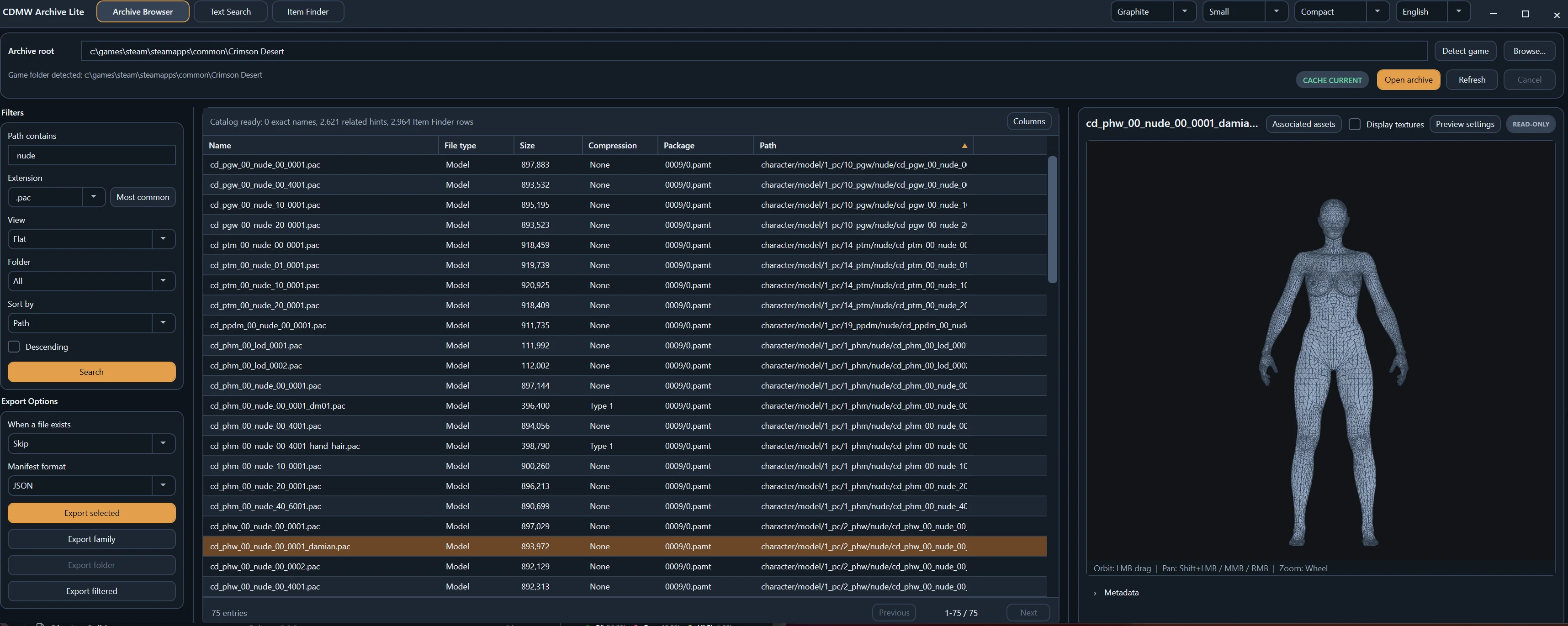
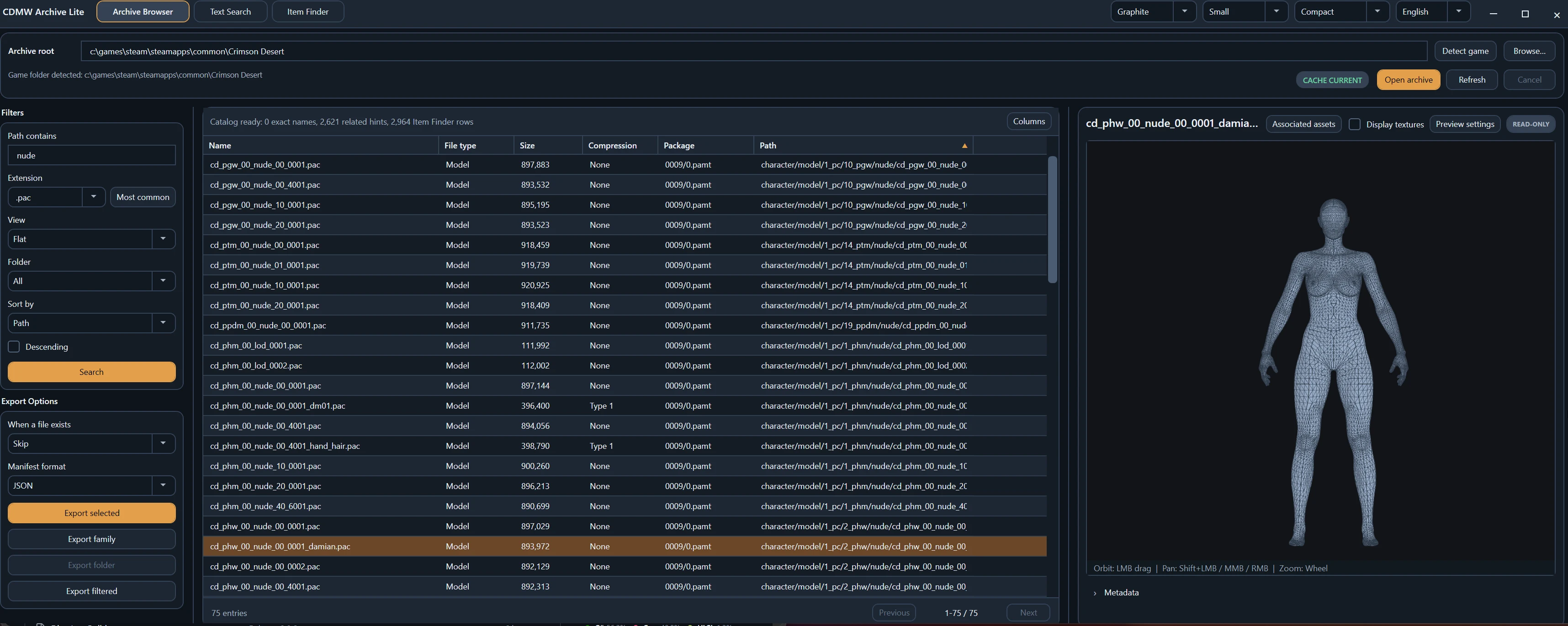
Standalone read-only browser for Crimson Desert PAMT/PAZ archives. Search, preview and export textures, models, text and media without touching game data. Model preview reads the asset's own materials. Rewritten in C#/C++ for performance, as a single Windows executable, no runtime to install. The read-only half of CDMW: for looking, not modding.
 查看大图
查看大图[b][size=4][u]The focus is speed.[/u][/size][/b]
[b]Cache and startup:[/b]
[size=3]Archive Lite builds one persistent index over the game's archives and reuses it. Measured against a full retail install - 1,674,781 entries, a 292 MB index - on a Ryzen 7 9800X3D with the game on an NVMe SSD:[/size]
[list]
[][size=3]First build: about 6 seconds, once.[/size][/]
[][size=3]Opening from cache: about 0.15 seconds, every launch after that.[/size][/]
[][size=3]Refresh after a game update: about 5 seconds, a full rebuild.[/size][/]
[/list][size=3]The index is keyed by a fingerprint of the archives themselves, so a game patch is detected rather than silently served stale, and superseded indexes are reclaimed instead of accumulating. Expect longer on a mechanical drive or an older CPU. The Item Finder catalog is built separately the first time you open it.[/size]
[b][size=4]
GitHub[/size][/b]
[url=https://github.com/Ratty123/CDMW-Lite]https://github.com/Ratty123/CDMW-Lite[/url]
-----------------------------------------------------------------------------------
[b][size=4]Features[/size][/b]
[list]
[]Flat, folder and category browsing over large archives, with paging, filters, sorting and persistent on-disk indexes.[/]
[]Text search across archives or loose folders, cancellable, with in-file navigation.[/]
[]Item Finder: locate items by localized name and follow exact or related archive links.[/]
[]Previews for text, XML, images, DDS textures, supported media, archive metadata, and PAC/PAM/PAMLOD/PAT geometry.[/]
[]Model preview reads the real material sidecar and textures - packed roughness/metalness, two-channel BC5 normals, emissive intensity, colour-blending layers, anisotropic hair.[/]
[]Associated-asset discovery and export, including mesh export to GLB, OBJ and binary FBX.[/]
[]Runs portable, or as a single self-extracting executable.[/]
[/list]-----------------------------------------------------------------------------------
[b][size=4]Technical[/size][/b]
Rewritten from the ground up in C# (.NET 10 / WPF) and C++.
The UI stays thin: a named-pipe worker process owns archive queries, search, preview and export and stays cancellable throughout, the native C++ cores handle read-only PAMT/PAZ/PATHC decoding, DDS and mesh work in-process instead of being driven by a Python host, and the D3D11 renderer runs in its own child process.
The standalone build is a single Native AOT executable. Model preview is about 100 ms cold and about 1 ms warm, warm across sessions.
Requires Windows 11 x64. No .NET install needed.
-----------------------------------------------------------------------------------
[b][size=4]Why Lite and not the full workbench?[/size][/b]
[url=PASTE_FULL_MOD_URL_HERE][/url]
Most people opening these archives want to look inside and pull assets out, not build mods. The full workbench carries archive-write, replacement, patching, backup/restore and mod-building authority, and the size and setup that comes with it. Lite does not disable that side - it does not contain it. PAMT, PAZ and PATHC are opened read-only and exports go to a destination you pick, so it cannot modify game data by construction.
That constraint is what made the rewrite worth doing: with the write path gone, the read path could be rebuilt as a single native executable with no runtime to install, its own settings, caches and logs, and process isolation so a bad archive or a GPU fault takes down a worker rather than the app.
Lite is also where that read path gets proven. The pieces that earn their place here move back into CDMW Full - the persistent archive index and its cache handling, the material resolution and model preview pipeline, and the native texture and mesh work behind them. Fixes landing in Lite are not a fork; they are the same read path Full will be running.
Use the full workbench when you are making mods. Use Lite when you just want to look and export.
[b][url=https://www.nexusmods.com/crimsondesert/mods/826]Full CDMW[/url][/b]
-----------------------------------------------------------------------------------
[b][size=4]Languages[/size][/b]
English, German, Spanish (Spain), Spanish (Latin America), French, Italian, Portuguese (Brazil), Polish, Russian, Turkish, Japanese, Korean, Simplified Chinese and Traditional Chinese. Selectable in the app and remembered between sessions.
Everything except English was machine translated and has not been reviewed by a native speaker, so expect awkward phrasing and occasional wrong terms, particularly on archive and rendering vocabulary. Report anything that reads badly and I will fix it - corrections from people who actually speak the language are very welcome.
-----------------------------------------------------------------------------------
[b]If this piece of software helped you, and you like it, feel free to leave a tip for some coffee to continue the development!
[/b](Yes, I have a pug - he demands candy and his name is Raiden.)
[url=https://ko-fi.com/ratrider]https://ko-fi.com/ratrider[/url]
正在加载版本记录…
正在加载评论…
评论在新手盒子客户端中发表,这里同步展示。