Bank Refresh Save Patcher
A simple save-file helper that makes the bank refresh again shortly after loading a patched save, instead of waiting several in-game days.
 查看大图
查看大图[size=4][b]Description[/b][/size]
[color=#D4D4D8]Bank Refresh Save Patcher is a small external save-file utility for Crimson Desert.
Its purpose is to make the in-game bank refresh again shortly after loading a patched save, instead of requiring the player to wait several in-game days.
The original goal was to patch the in-game time or the bank timer directly. However, there was no clean and reliable way to patch those systems without risking side effects, unstable memory edits, or version-dependent behavior. This tool therefore uses a safer workaround: it patches the relevant save-file values instead.
The tool does not inject code into the game, does not modify the game executable, and does not run inside the game process. It only edits the selected local save file and automatically creates a backup before patching.
This mod/tool was created with the help of AI, including code generation, testing support, and documentation assistance.[/color]
[size=4][b]Installation instructions[/b][/size]
[color=#D4D4D8]1. Download the archive.
2. Extract it to any folder outside the game directory.
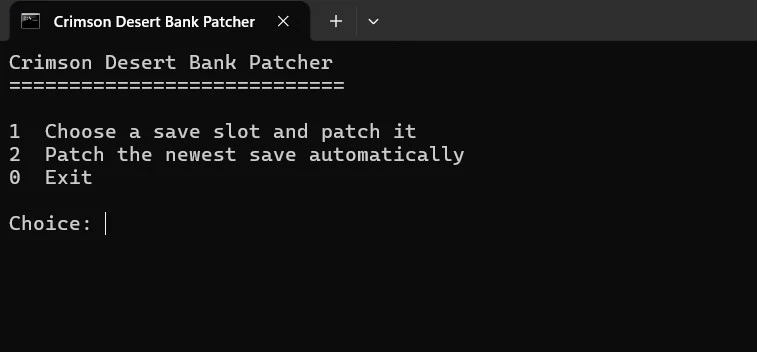
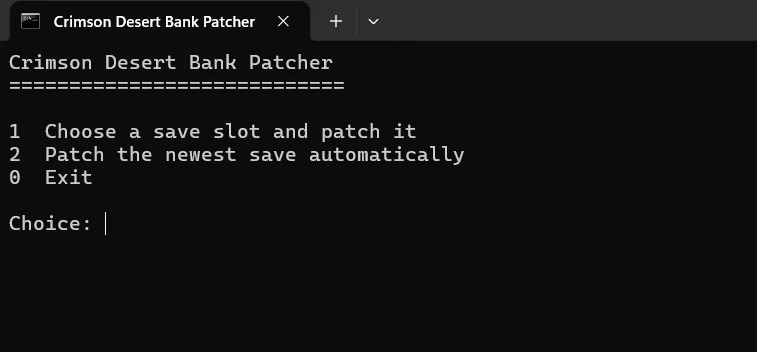
3. Run Crimson_Bank_Patcher.bat.
4. On first launch, the tool checks whether the required Python dependency is installed.
5. If the dependency is missing, the tool will attempt to install it automatically.
6. The tool automatically searches for the default Crimson Desert save folder:
%LOCALAPPDATA%\Pearl Abyss\CD\save
Recommended usage:
1. Load your save in-game.
2. Wait until the bank has refreshed normally.
3. Collect the bank payout.
4. Save the game manually.
5. Return to the title screen or close the game.
6. Run Crimson_Bank_Patcher.bat.
7. Choose either:
- Select a save slot from the list
- Automatically patch the newest save
8. Load the patched save again in-game.
A backup is created automatically before the selected save file is modified.[/color]
[size=4][b]Main features[/b][/size]
[color=#D4D4D8]- Simple batch-file menu.
- Automatically detects the Crimson Desert save folder.
- Lists available save slots.
- Reads custom save names from the slot data when available.
- Lets the user choose which save slot to patch.
- Can automatically patch the newest save.
- Automatically creates a backup before modifying a save.
- Does not modify game files.
- Does not inject anything into the running game.
- Designed as a lightweight external save-file helper.[/color]
[size=4][b]Requirements[/b][/size]
[color=#D4D4D8]Windows is required.
The tool can automatically install Python if it is missing, using winget / Windows Package Manager. An internet connection may be required on first launch.
If automatic installation fails, install Python 3 manually from python.org and enable "Add Python to PATH".
The required Python package lz4 is checked and installed automatically by the BAT file.
No additional mods are required.[/color]
[size=4][b]Shout outs[/b][/size]
[color=#D4D4D8]Thanks to the Crimson Desert modding community for investigating save-file structure and possible timer behavior.
This tool was created with the help of AI, including ChatGPT, for code generation, workflow design, documentation, and debugging support.
Also thanks to everyone testing and reporting whether the save-slot detection and bank refresh behavior works correctly across different save setups.[/color]
正在加载版本记录…
正在加载评论…
评论在新手盒子客户端中发表,这里同步展示。