海洛图
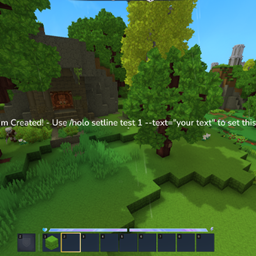
使用简单易用的命令为您的服务器创建浮动文本。
Hylograms

一个为 Hytale 服务器设计的强大全息投影插件,支持多行文本、物品展示、动画以及易用的 API。
注意:Hytale 的名称牌目前无法为全息投影提供富文本格式,因此颜色/样式文本格式化尚不可用。我曾尝试使用 Mixin,但效果不佳 :(
1.1 版本新特性
- 扩展了开发者 API(生命周期、交互上下文、每玩家运行时、图像管线、统计)
- 改进了每玩家渲染,并在世界/玩家切换时实现生命周期安全的生成/取消生成
- 更好的交互支持(可配置的碰撞箱、碰撞配置、内置动作处理器)
- 为
image:<id>行生成分辨率感知的图像平面 - 运行时图像资源热重载 (
/holo image reload) - 运行时统计命令 (
/holo stats)
命令
所有命令均在 /hologram(别名:/holo)下。
主要
/holo create <id> [--text="..."] [--temporary=true]/holo delete <id>/holo list/holo move <id>/holo teleport <id>/holo save/holo reload/holo respawn [id]/holo stats
行
/holo addline <id> --text="..."/holo setline <id> <line> --text="..."/holo removeline <id> <line>/holo alignline <id> <line> --x=.. --y=.. --z=.. [--clear=true]
可见性
/holo visibility <hide|show|toggle|status>- 别名:
/holo vis <hide|show|toggle|status>
交互
/holo interact <id> <line> <enable|disable> [--hint="..."] [--collision=SoftCollision] [--width=.. --height=.. --depth=..] [--action="..."]
内置动作格式:
player-command:<command>user-command:<command>(player-command 的别名)console-command:<command>message:<text>
图像
/holo image <reload|list|path>- 别名:
/holo images <reload|list|path>
动画
/holo anim list/holo anim create <name> [--loop=true] [--autoplay=false]/holo anim delete <name>/holo anim keyframe <name> <time> [--x=.. --y=.. --z=.. --pitch=.. --yaw=.. --roll=.. --scale=.. --easing=..]/holo anim assign <id> <line> <animation>/holo anim clear <id> <line>/holo anim play <id> <line>/holo anim stop <id> <line>
核心特性
- 全息投影持久化存储于
HylogramsFramework/holograms.json - 动画库持久化存储于
HylogramsFramework/animations.json - 临时全息投影(
persistent=false)不会保存到磁盘 - 支持文本、物品、方块、实体/模型和图像行
- 支持每行 XYZ 偏移(
alignline) - 支持每行交互和动作回调
- 支持每行动画分配和运行时播放/停止
- 可选的 PlaceholderAPI 集成,用于每玩家文本渲染
- 支持每玩家隐藏/显示切换
- 在启动、世界加载/卸载和关闭时安全的重新生成/取消生成流程
行格式
- 文本:
Welcome to spawn - 物品:
item:<itemId>[:scale[:pitch:yaw:roll]] - 方块:
block:<blockTypeId>[:scale[:pitch:yaw:roll]] - 实体/模型:
entity:<modelId>[:scale[:pitch:yaw:roll]] - 图像:
image:<imageId>[:scale[:pitch:yaw:roll]]
注意:
- 旋转值为角度。
- 缩放默认为
1.0。 - 无效的行资源将安全回退为可读的文本输出。
图像资源
输入文件夹:
HylogramsFramework/images-input
支持的输入:
.png,.jpg,.jpeg(jpg/jpeg会在运行时转换为.png)
生成的输出:
HylogramsFramework/image-assets- 镜像的实时资源包:
mods/Hylograms
插件会监听 images-input 文件夹,并可通过以下命令热重载:
/holo image reload
配置
配置文件:
HylogramsFramework/config.properties
主要选项:
line-spacingitem-spacing-factortext-line-interaction-y-offsetautosave-on-changecheck-for-updatesdefault-per-player-renderingplaceholder-refresh-enabledplaceholder-refresh-interval-secondsplaceholder-refresh-max-holograms-per-runplaceholder-refresh-only-when-placeholdersdebug
权限节点
核心:
hylograms.createhylograms.addlinehylograms.setlinehylograms.removelinehylograms.alignlinehylograms.movehylograms.teleporthylograms.deletehylograms.listhylograms.statshylograms.interacthylograms.savehylograms.reloadhylograms.respawnhylograms.image
动画:
hylograms.anim.listhylograms.anim.createhylograms.anim.deletehylograms.anim.keyframehylograms.anim.assignhylograms.anim.clearhylograms.anim.playhylograms.anim.stop
更新通知管理员检查(加入通知):
*hylograms.*hylograms.adminhylograms.notifyupdateshylograms.reload
开发者 API
主要入口点:
dev.ehko.hylograms.framework.api.HylogramsApi
兼容性入口点:
dev.ehko.hylograms.api.HologramsAPI
主接口:
dev.ehko.hylograms.framework.api.HylogramsDeveloperApi
创建全息投影
import com.hypixel.hytale.math.vector.Vector3d;
import com.hypixel.hytale.math.vector.Vector3f;
import dev.ehko.hylograms.api.HologramsAPI;
import dev.ehko.hylograms.framework.api.HylogramsDeveloperApi;

HylogramsDeveloperApi api = HologramsAPI.get();

api.create(
    "shop",
    "overworld",
    new Vector3d(100, 65, 200),
    new Vector3f(0, 180, 0),
    "Welcome to the Shop!"
);

api.addLine("shop", "item:Items/Weapons/Sword_Iron");
api.addLine("shop", "Click to browse");
api.respawn("shop");
修改全息投影
import java.util.List;

HylogramsDeveloperApi api = HologramsAPI.get();

api.setLine("shop", 1, "Shop is OPEN!");
api.alignLine("shop", 2, 0.5, 0.0, 0.0);
api.setLines("shop", List.of(
    "Welcome to the Shop!",
    "item:Items/Weapons/Sword_Iron:1.3",
    "Best prices in town"
));

api.setLineInteractable(
    "shop",
    1,
    "Open Shop",
    1.8,
    0.9,
    0.8,
    "SoftCollision",
    "player-command:/shop"
);

api.respawn("shop");
api.saveNow();
动画
import com.hypixel.hytale.math.vector.Vector3d;
import com.hypixel.hytale.math.vector.Vector3f;
import dev.ehko.hylograms.framework.animation.EasingType;
import dev.ehko.hylograms.framework.animation.Keyframe;

HylogramsDeveloperApi api = HologramsAPI.get();

api.createAnimation("spin", true, false);
api.addAnimationKeyframe("spin", new Keyframe(
    0.0f,
    new Vector3d(0, 0, 0),
    new Vector3f(0, 0, 0),
    1.0f,
    EasingType.LINEAR
));
api.addAnimationKeyframe("spin", new Keyframe(
    2.0f,
    new Vector3d(0, 0, 0),
    new Vector3f(0, 360, 0),
    1.0f,
    EasingType.LINEAR
));

api.assignLineAnimation("shop", 2, "spin");
api.playLineAnimation("shop", 2);
实用工具
HylogramsDeveloperApi api = HologramsAPI.get();

if (api.exists("shop")) {
    api.delete("shop");
}

api.list();                  // List<HologramDefinition>
api.listAnimations();        // List<AnimationData>
api.getStats();              // Runtime snapshot
api.respawnAllLoaded();      // Queue full respawn
api.reloadFromDiskAndRespawn();
每玩家运行时控制
HylogramsDeveloperApi api = HologramsAPI.get();

// Queue periodic per-player placeholder refresh work
api.refreshPerPlayerHolograms(20, true);
图像资源控制
HylogramsDeveloperApi api = HologramsAPI.get();

if (api.isImageServiceAvailable()) {
    api.reloadImageAssets();
    api.listImageAssets();
    api.getImageInputDirectory();
}
安装
- 下载 Hylograms 插件构建文件。
- 将其放入服务器的
mods/文件夹。 - 启动或重启服务器。
- 如有需要,配置
HylogramsFramework/config.properties。 - 使用
/holo create ...开始构建全息投影。
可选依赖
占位符支持目标:
HelpChat:PlaceholderAPI
当此依赖存在时,%placeholder% 标记可以为每个玩家进行解析。
正在加载版本记录…
正在加载评论…
评论在新手盒子客户端中发表,这里同步展示。