祖姆斯的实时安全大修
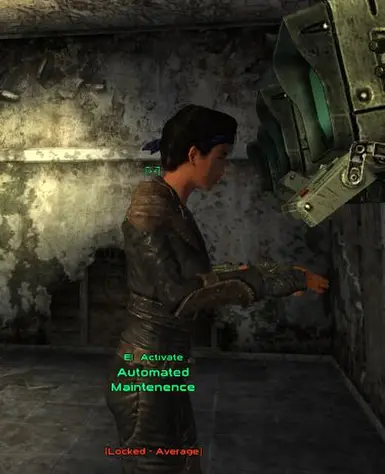
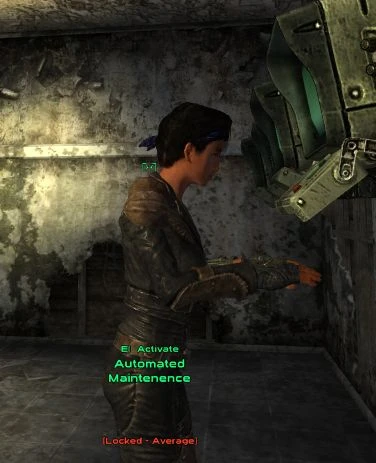
此模组引入了实时开锁、黑客入侵以及近战武器、枪械和爆炸物的破锁(又称暴力开锁)功能。玩家还将获得尝试撬开锁具的能力。
 查看大图
查看大图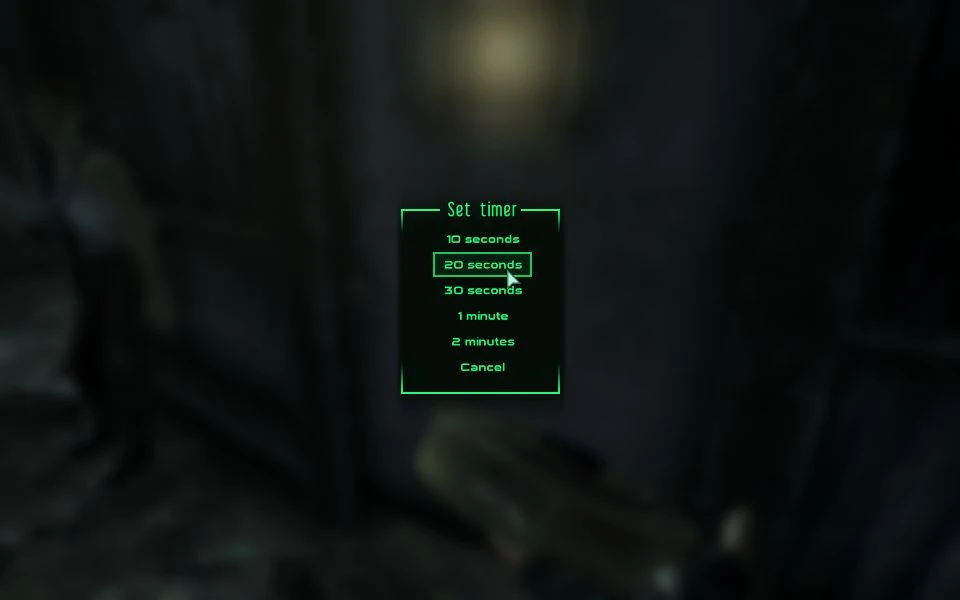
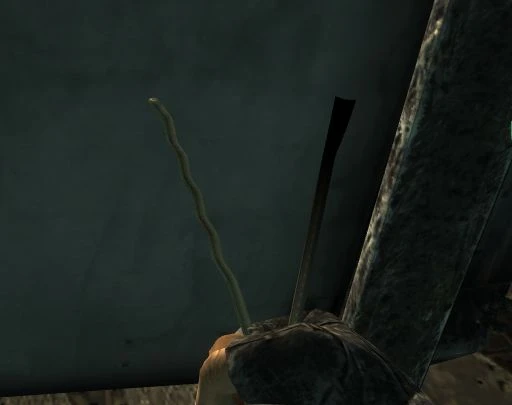
This mod introduces real-time lockpicking, hacking, and the ability to force locks open with melee weapons, firearms, and explosives (also known as lockbashing). Players can also attempt to pick locks. As described in the readme, this mod is highly configurable.
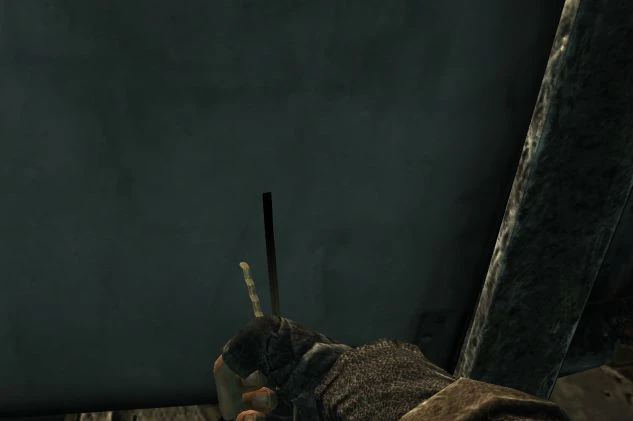
Zumbs' Overhauled Real Time Security System (ZORTS) includes the following in-game features: Lockpicking: Equip a bobby pin in your weapon slot, aim at a locked object, and press the attack key. Note that picking locks that do not belong to you may anger locals.
Hacking: Holster your weapon, aim at a terminal, and press the 'H' key. Hacking terminals that are not yours may anger bystanders. Press the attack key to interrupt the hacking process.
Lockbashing: Equip a weapon, aim at a locked object, and press the attack key. Some locks are very sturdy and may require multiple attempts to open. Note that locals may consider property damage a serious crime. Press the 'H' key to display the container's current health.
Blasting: Equip explosives, aim at a locked object, and press the attack key. This will open a menu for you to select a timer. If you are not skilled with explosives, they may detonate upon placement. Due to the danger of being close during an explosion, it is recommended to evacuate the blast radius. This highly dangerous method is very likely to be treated as an extremely serious crime by locals.
Picking the lock: Equip a knife or a crowbar, aim at a locked object, and press the 'P' key to attempt to pick the lock. This may anger locals.
Configuration Menu: Holster your weapon and press the 'P' key to open the menu. The configuration menu allows you to enable or disable minigames, disable all features except lockbashing, restore factory (installation) settings, apply default settings, and toggle debug mode.
In-Game Instructions: Check the basic operation guide in your Pip-Boy's notes.
Limitations: You can only perform a lockbash attack on one lock at a time. Attacking another lock will clear the effect on the first lock, unless it has already been broken open. This restriction includes using explosives: you can only blast one lock at a time.
Warning: Attempting to pick locks in the Wasteland may make passersby mistake you for a thief and react accordingly.
This file can be opened using 7z.
Requirements
- Fallout 3 v1.7 Patch (may be compatible with earlier patches)
- Fallout Script Extender v1.2 beta 2 or higher (available at fose.silverlock.org)
Installation
FOMM:
- Open the Package Manager.
- Click "Add New Content," then browse to where you saved the archive.
- Click "Activate" and follow the on-screen instructions.
Manual:
- Extract the archive to a temporary location.
- Copy all files (except the fomod folder) to your Fallout 3 /Data folder.
- Open your favorite mod manager.
- Activate "Zumbs' Overhauled Real Time Security.esm".
You have now completed the installation, but there are additional options. If you
- Recommend not disabling the minigame, activate "ZORTS - Enable minigames.esp".
- Want to only enable lockbashing, activate "ZORTS - Lockbash only.esp" (this will enable the minigame).
- Want to enable content destruction via explosives and lockbashing, enable one of "ZORTS - Content Destruction - Normal.esp" or "ZORTS - Content Destruction - Extreme.esp", but not both! Quest items will be protected.
- Want to customize container health and traps, activate "ZORTS - Custom HP.esp". Includes compatibility patches for FOOK2 and FWE. You can only use one custom health esp file.
- If you use FOOK2 or FWE, you may need to disable their explosive entry, menu-based lockpicking, and hacking features by activating "ZORTS - Disable FOOK2 activate.esp" or "ZORTS - Disable FWE activate.esp".
- If you use FOOK2 or FWE, you may need to disable their explosive entry and menu-based lockpicking and hacking versions by activating "ZORTS - Disable FOOK2 activate.esp" or "ZORTS - Disable FWE activate.esp".
- FWE users note: "ZORTS - Disable FWE activate.esp" also includes detection for FWE crowbars and FWE science book skills.
If you use a custom attack key and want to use the real-time lockpicking feature, open the in-game configuration menu and enable custom attack key compatibility.
Uninstallation
FOMM:
- Open the Package Manager.
- Click "Deactivate".
Manual:
- Open your favorite mod manager and the mods installed above.
- Delete the following files:
- ZORTS - Content Destruction - Extreme.esp
- ZORTS - Content Destruction - Normal.esp
- ZORTS - Custom HP - FOOK2.esp
- ZORTS - Custom HP - FWE.esp
- ZORTS - Custom HP.esp
- ZORTS - Disable FOOK2 activate.esp
- ZORTS - Disable FWE activate.esp
- ZORTS - Enable minigames.esp
- ZORTS - Lockbash only.esp
- ZORTS.ini
- Zumbs' Overhauled Real Time Security - Readme.txt
- Zumbs' Overhauled Real Time Security.bsa
- Zumbs' Overhauled Real Time Security.esm
Update
FOMM:
- Open the Package Manager.
- Disable ZORTS v1.x.
- Install as described above.
Manual: If you have customized the ini file, please back up your ini file and apply your changes to the new ini file after upgrading.
FOMM:
- Disable ZORTS v1.x.
- Install as described above.
Manual:
- Uninstall ZORTS v1.x (similar to section 3.b above).
- Install as described above.
Compatibility This mod does not modify any in-game content and is therefore highly likely to be compatible with most existing mods. It can even work alongside Lap's "Explosive Entry" and angleae's "Menu-Based Hacking & Lockpicking." However, its core functions use the 'H' and 'P' keys; specific key rebinding methods are described below. This mod can be placed anywhere in your load order.
However, custom health settings for selected containers may conflict with some mods, as scripts have been added to multiple containers and doors. Compatibility patches for FOOK2 and FWE are included. Garybash tags have been added so that Garybash users can build a merge patch to ensure only scripts are overwritten.
Advanced Configuration This mod is highly configurable, with most features controlled through global variables. Specific settings are detailed in the ZORTS.ini file, including:
- Difficulty for different tasks
- Options to disable parts of the mod
- Option to only select key locks (use with caution)
- Key reassignment
- Crime toggles
After making changes, launch the game, open the console, and type:
bat Data/ZORTS.ini
Press Enter and close the console. Note that this must be done each time you start a new game.
Version History
Version 1.0: Initial release (October 31, 2009)
Version 1.1: Released November 1, 2009
- New Feature: Configuration Menu
- New Feature: "Jam" mechanism during lockpicking now supports the Infiltrator perk
- New Feature: Support for unarmed lockbashing
- Fix: Hacking "Burned" terminal issue disabled
Version 1.2: Released November 5, 2009
- Fix: Works with non-default attack keys (toggled in config menu)
- Fix: HUD now updates when a lock is unlocked
- Fix: Equippable bobby pins are removed when lockpicking is disabled
- Fix: Placing explosives is now considered an aggressive action
- Fix: Should now work correctly in god mode
- Fix: Fixed a bug where using explosives after picking a lock caused the game to behave as if the player was still picking
- Tweaked: If the player is sneaking while lockbashing, they will exit sneak mode
Version 2.0: Released August 8, 2010
- New Feature: Crowbars added to leveled lists via script for compatibility from (model by Frostbitex460)
- New Feature: Higher quality lockpicks added (custom model by lordinquisitor)
- New Feature: Lockpick repair kits for high quality lockpicks (custom model by lordinquisitor)
- New Feature: Option to destroy container contents during lockbashing and using explosives
- New Feature: Unlocks a perk at level 6 to reduce item destruction if Explosives skill is 50+ (suggested by ApOkwARG)
- New Feature: Optional Custom HP, compatible with FWE and FOOK2 patches
- Compatibility: Detects FWE, Arwens Realism Tweeks, and Fallout Advanced for increased lock HP
- Compatibility: Detects FWE book skills for lockpicking
- Compatibility: Optional disabling of FOOK2 and FWE's explosive entry, menu-based hacking and lockpicking
- Compatibility: Added garybash tags where needed
- Tweaked: Clarified description of explosives' ability to blow up in your face
- Fix: Fixed bug where equippable bobby pins were not removed when the last bobby pin was broken
- Fix: Weapons without ammunition now cannot damage locks
Version 2.1: Released September 13, 2010
- New Feature: Third-person lockpicking animation added
- Tweaked: Harder to avoid traps
- Tweaked: Explosive damage increased by 50%
- Tweaked: Terminals can now be jammed - Infiltrator perk can resist this (but not repair it)
- Fix: Conditions for displaying the "Safecracker" perk
- Compatibility: Hoped to fix an issue in RTS where the attack key was not disabled when a lockpick was drawn.
- Compatibility: FWE lockpicking book skill bonus increased
- Compatibility: Recognizes FWE crowbars (using ZORTS - Disable FWE activate.esp)
- Compatibility: Detects FWE science book skills to increase terminal cracking success (using ZORTS - Disable FWE activate.esp)
Version 2.2: Released September 25, 2010
- Fix: Cancelling explosive placement is no longer considered a crime
Terms of Use You are free to use, distribute, and modify this mod. If you do any of these, I respectfully request you to kindly notify me.
Thanks
- FOSE team for their hard work
- NifTools team for NifScope
- ElministerEU for FO3Edit
- Timeslip and L0ki for Fallout Mod Manager
- Fresh breeze for making the very cool fomod install script
- The Valhalla Project for helping research how to implement idle gameplay
- Everyone on the forums and modding sites who share their knowledge kindly.
- The people who submitted bug reports and suggestions kindly
- Frostbitex460 and lordinquisitor for allowing me to use their models
正在加载版本记录…
正在加载评论…
评论在新手盒子客户端中发表,这里同步展示。