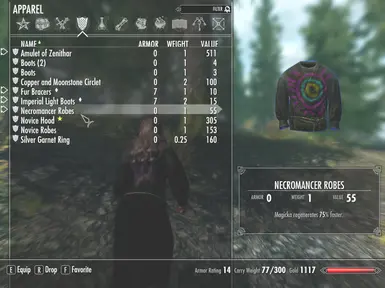
1 Rama_s 快乐缤纷死灵法师长袍 法师服饰
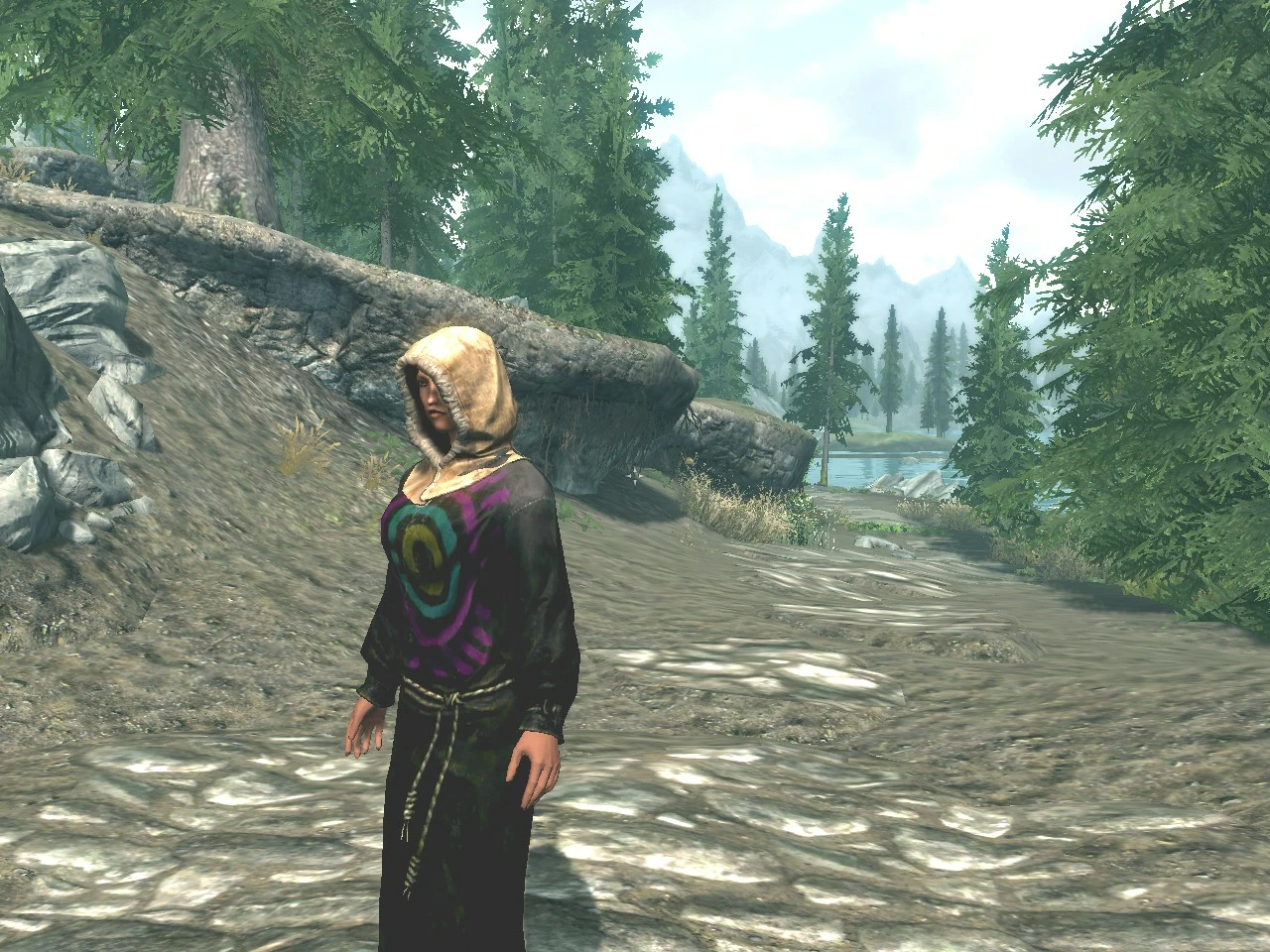
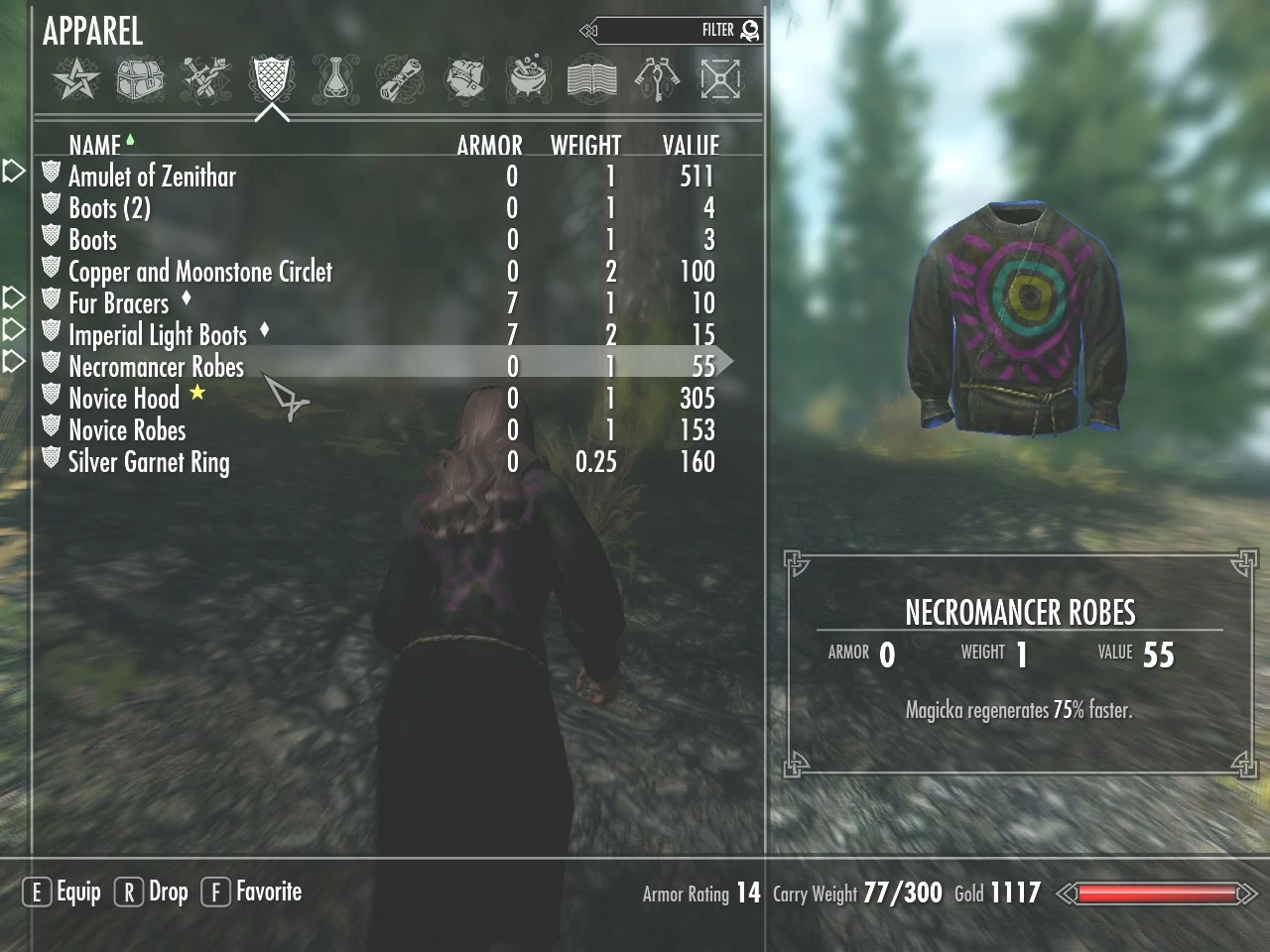
这是一个非常小的文件下载,将游戏中所有死灵法师长袍改为更快乐多彩的版本,同时仍保持品味。_正面不再有骷髅头_,取而代之的是色彩柔和的彩虹太阳。我还_添加了
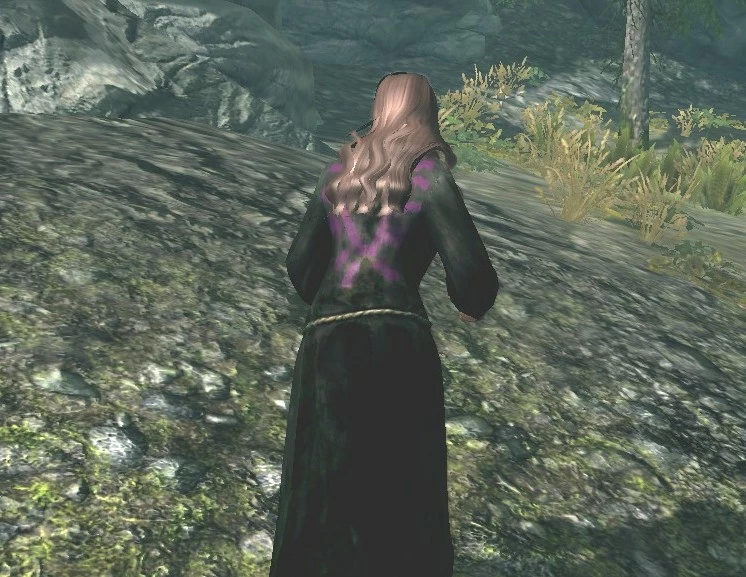 查看大图
查看大图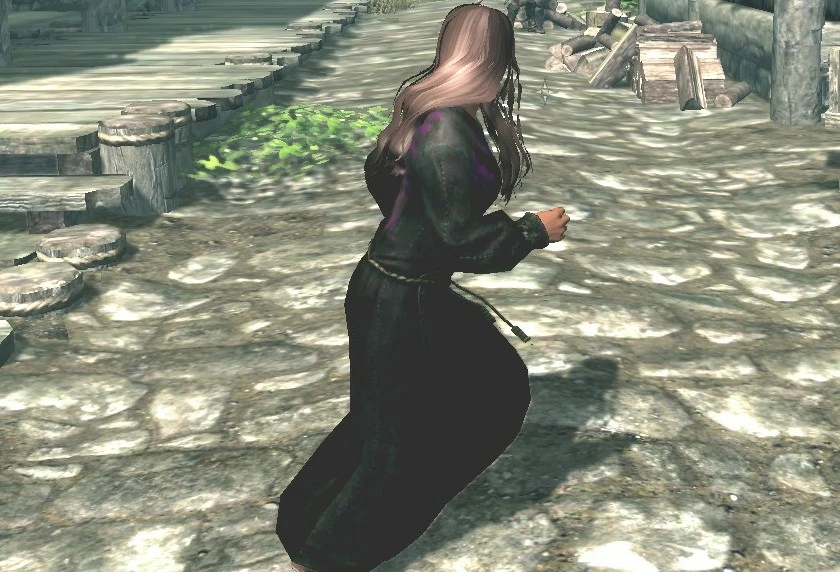
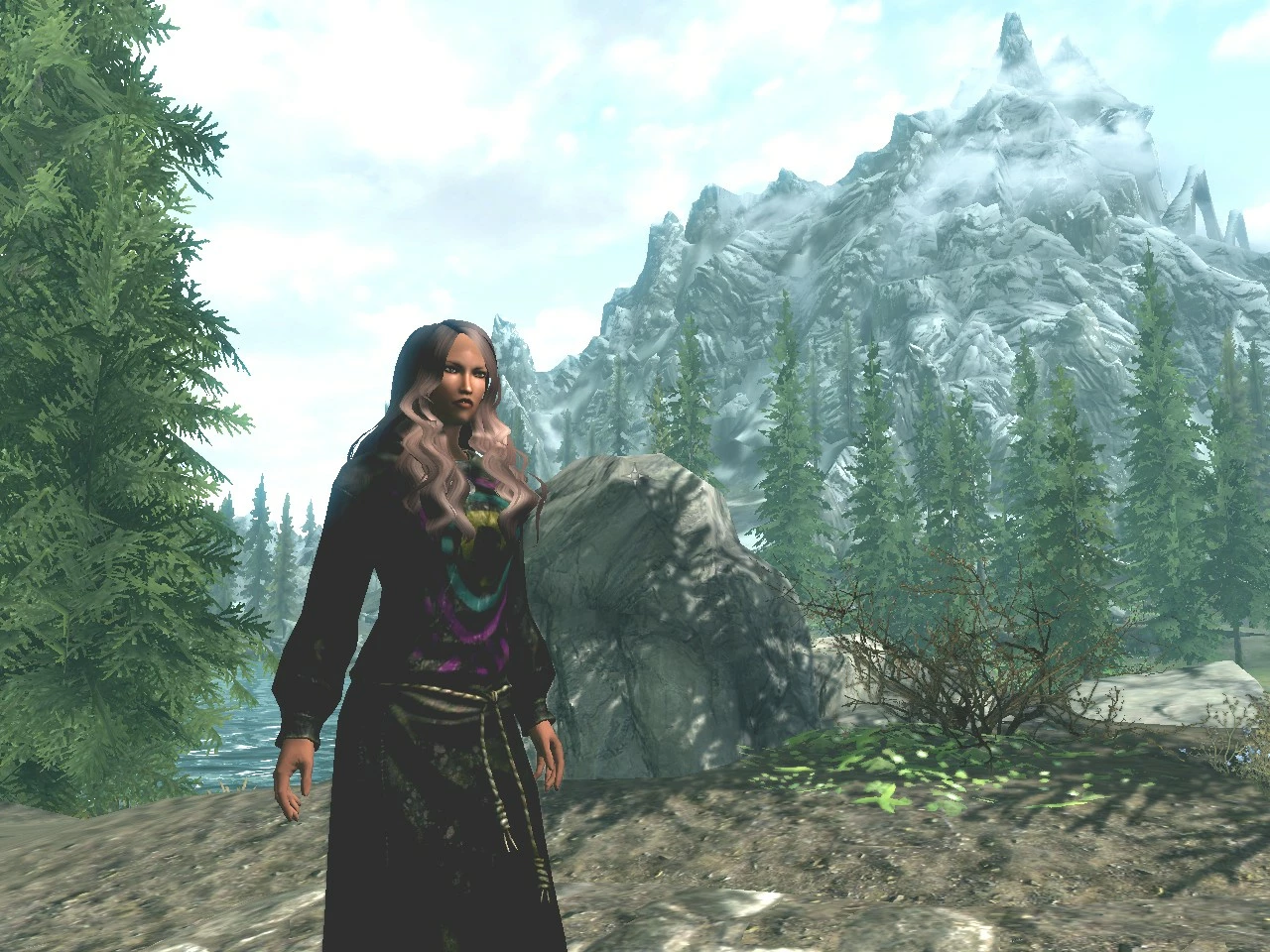
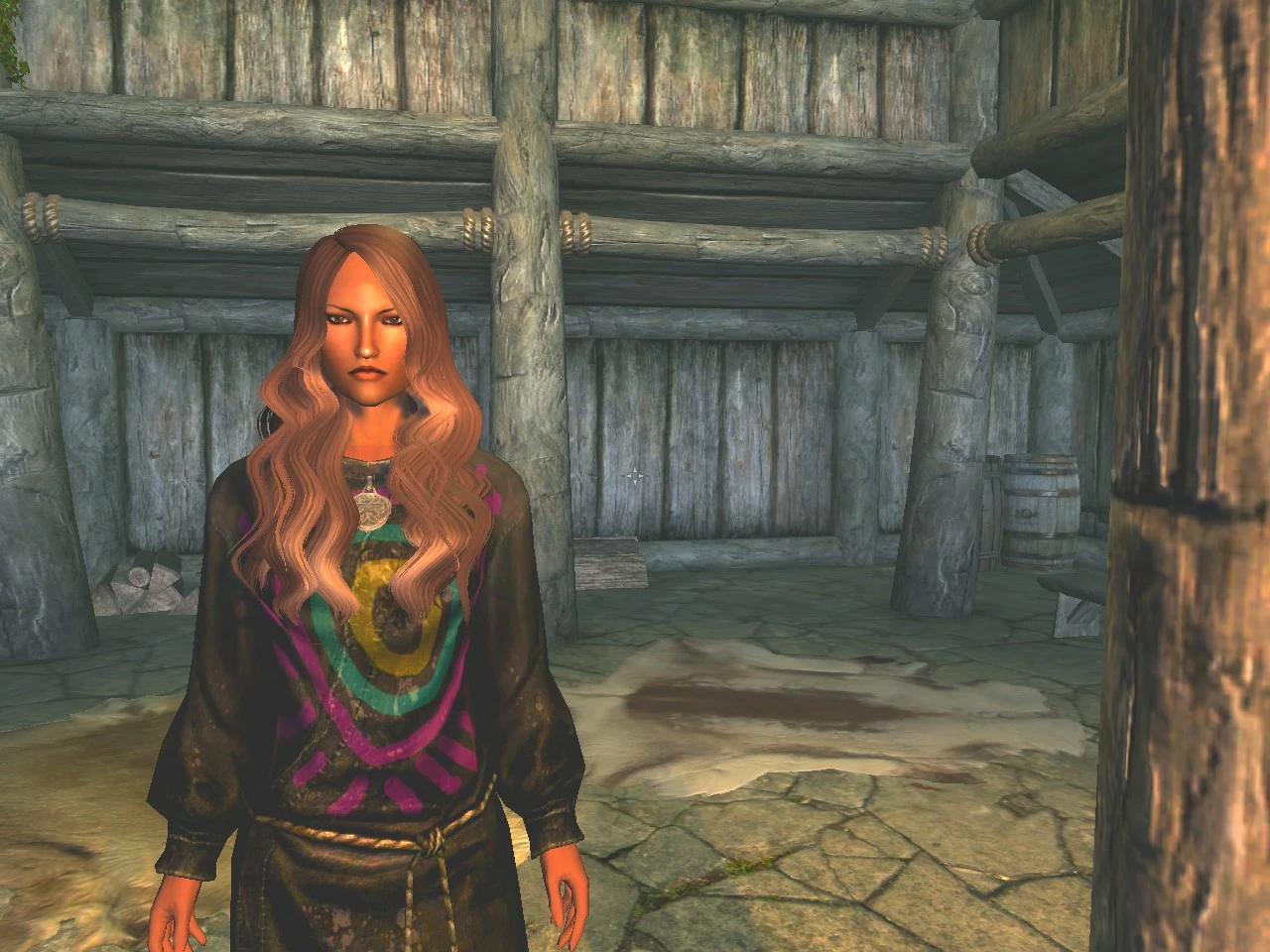
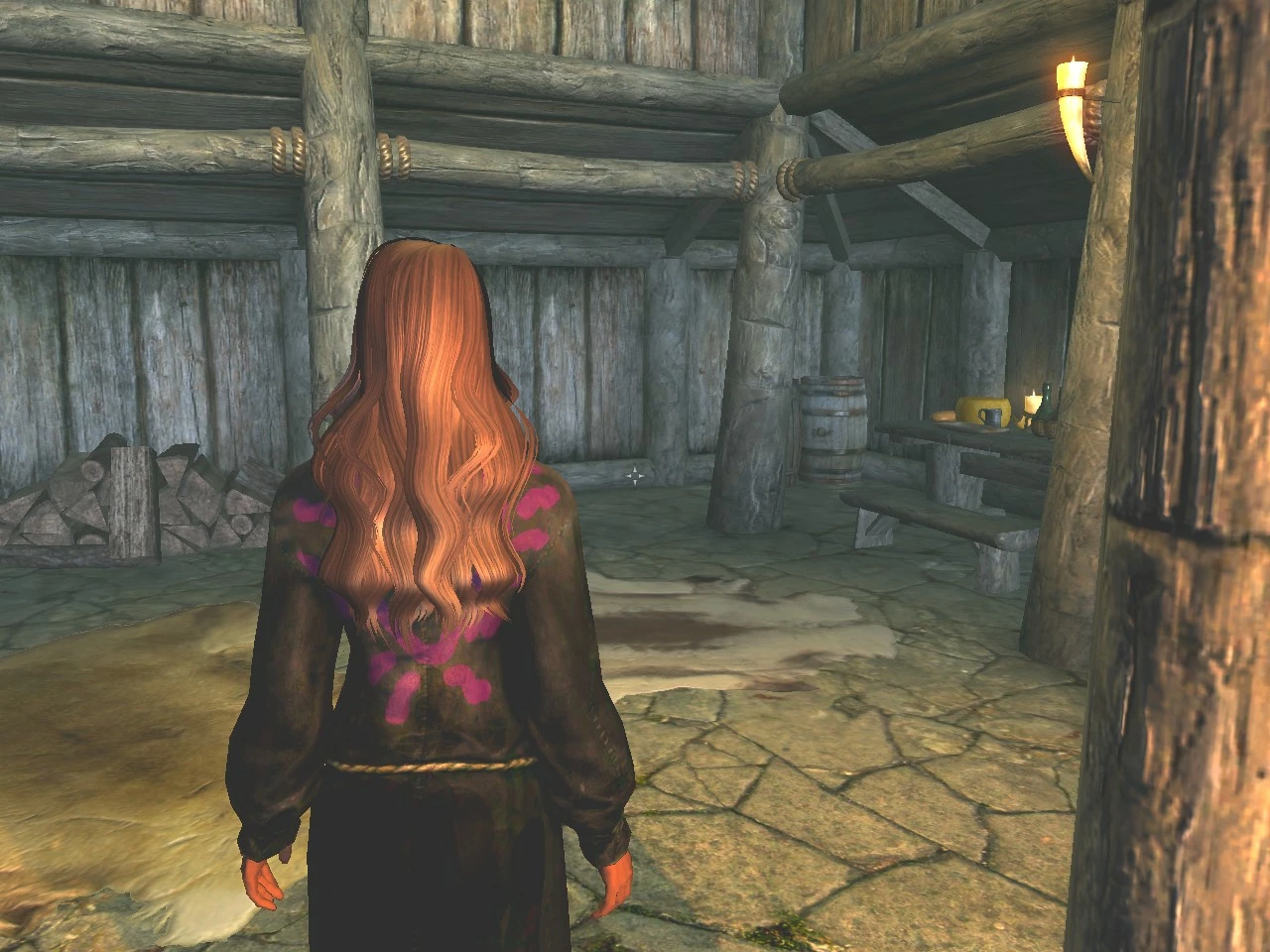
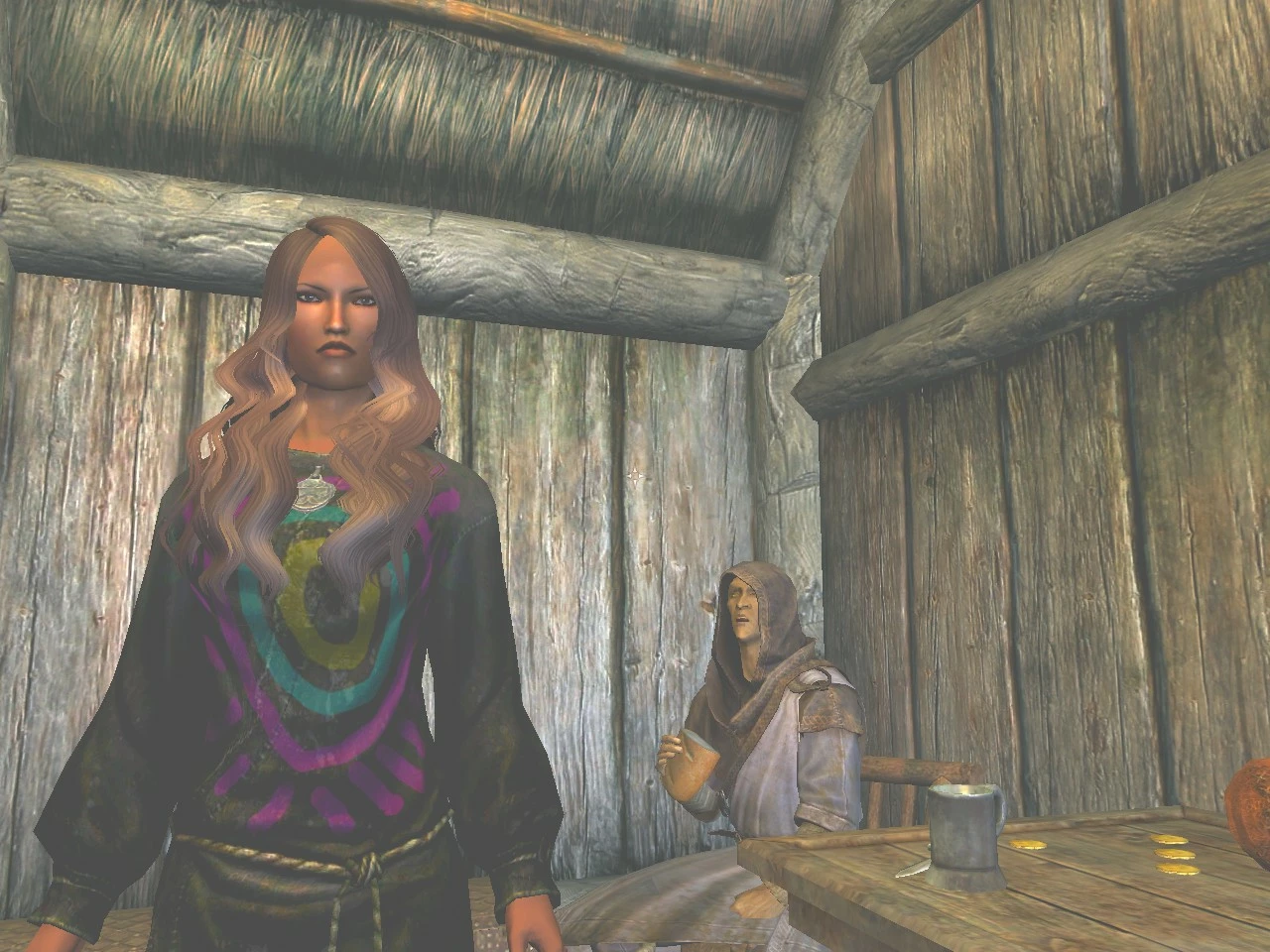
My other mod:
Rama's Perfect Female Skin mod
http://www.skyrimnexus.com/downloads/file.php?id=5057
Copy and paste the above line into your web browser's address bar to see my main mod :)
Add your own images
If someone wants to share pictures of their character wearing my Happy Necromancer Robes,
You can click on the two rectangular icons near the version number at the top of this page.
I will verify your images after checking, which may take some time depending on my schedule.
Version 1.0
Rama's Happy Colorful Necromancer Robes (Female and Male)
Summary:
Adjusted the necromancer robes to a deeper, richer black
Added a beautiful design to the back of the robes
Removed the skull pattern from the front of the robes
Added an elegant rainbow sun pattern to the front of the robes
Did not change the amount of exposed skin
Story:
I created this mod because I was playing a female character who uses two-handed summoning weapons, can summon the dead to fight for her, and uses alteration spells to cast magical armor on herself.
I looted some higher-quality robes, the necromancer robes, which provide me with 75% magic recovery instead of 50%.
The only problem was that I really didn't like the skull and necromancer image on the front!
I wanted to wear robes that make me happy and lift my spirits!
So, I made my own!
I also added a design to the back of the necromancer robes because I usually look at my girl's back.
Please note that this mod will replace all necromancer robes in the game with a happier, prettier version.
This means that the mage enemies you fight, who used to wear the old necromancer robes, will now wear my more colorful necromancer robes, even if you don't wear them yourself :)
This mod was originally made for my own enjoyment.
Then I found that my mod made me surprisingly happy!
I really enjoy looking at my happy necromancer robes, those colors and shapes, somehow both calming and fun.
Because I found myself loving it so much, I decided to share it with everyone!
If you like my mod, feel free to upload images, and I explained how at the beginning of the post.
Enjoy!
- Rama
How to get these robes
Azura's Star quest

Complete the Azura's Star quest chain, and you'll get about 100 of them, hehe.

If you haven't received this quest yet, you can get it from the innkeepers in Riverwood or Whiterun.

The Azura's Star quest is crucial for creating characters with powerful enchanted weapons and armor; if you want to make the game easier, you should do it early.

Before level 10, the Azura's Star quest chain is very simple.

1. Always side with the person in Winterhold,

2. After getting the quest from the lady at the shrine,

3. Do not return to the shrine.

The only reason I tell you this is because any poor player who doesn't follow this advice will face an unfortunate fate, as finding the grand souls of large animals like mammoths is really hard (trying not to spoil too much).
Near Whiterun
You can try the skill stone near Whiterun, east across the river, near the bandit tower.
This is the necromancer's skill stone.
Fastest method

Or you can enter this code in the console:

1. Press ~ to activate the console

2. Enter the following:

player.additem c36ea 1

Note:

c36ea = item code

1 = quantity

---

Note about the images on this page:

The color/display settings of each computer are different, and your game resolution and anti-aliasing settings will also change what you see in the game.

The images on this page are of lower quality than what you will experience in the game!

* * *

So please try my mod yourself and see what it looks like on your computer and settings.

I can't show you pictures that will perfectly reflect what it will look like on your machine, so just try it :)

Luckily, my mod is easy to install/uninstall.

:)

3

Rama

* * *

Risk-free installation

If you don't like the mod, you can easily undo it.

This mod will not damage or change any original installation files

---

Installation

Copy the compressed folder series (starting with "Data") to the same directory as your TESV.exe file, usually at:

c:\program files(x86)\steam\steamapps\common\skyrim

To reach the location I described, first go to your computer's main hard drive (usually C:\) through "My Computer," then click on the drive, then go to Program Files and continue following the path above.

If you have already installed other mods, a Data folder might already exist in your main Skyrim directory.

When copying this mod's file structure, start from the Data folder and select the option to overwrite all duplicate files.

If you already have a modified version of the necromancer robes, please refer to the following method to test this mod without affecting your previous modified version of Skyrim.

Remember, the compressed download's folder series contains only one file, so selecting "Overwrite all duplicates" will affect at most 1 file.

I apologize for not supporting Nexus Download Manager at the moment, but you should learn to handle these operations directly, as once the Creation Kit is released, understanding your Elder Scrolls file structure will become even more important.

You need to understand how mods work yourself, so you can undo any changes other mods make to the Elder Scrolls file structure, because they won't always tell you how to fix the damage they cause.

---

How the mod works

* * *

These are important things you must know so you can take control of your Skyrim reality.

* * *

Bethesda's friends were very kind to make modding so simple.

Basically, any file you put in a folder named Data, located in your root Skyrim folder (where "TESV.exe" is), will be loaded with priority when Skyrim starts.

Each time you load Skyrim, the game dynamically checks the custom Data folder's contents.

Therefore, to see changes you've made to the Data folder, you must exit and restart The Elder Scrolls.

To undo any mod, you need to go into the Data file structure and delete the corresponding file.

If you don't have a "Data" folder, you can create one yourself.

It's very likely that you've found this mod of mine, which means you do have a Data folder :)

Mods conflict because sometimes multiple mods modify the same file in the Data file structure, and Skyrim can only use one version of that file at a time.

---

How to easily test new mods while keeping your previous Elder Scrolls mod setup

If you want to test a mod, rename the existing files you don't want to permanently overwrite, then try the new mod that modifies these same files.

If you don't like the new mod you tried, delete the files and rename the original ones.

For example, if you already have a hypothetical file named filename.dds in your Data folder structure, you can rename it to filename.back, then try my mod, which has its own version of filename.dds

This way, you can easily undo my changes by deleting the new filename.dds file and renaming the backup you created back.

---

What is a .DDS file?

To view/edit .dds files, download PAINT.net; it's free

---

How to access the original textures, models/meshes, and all other game data of The Elder Scrolls V: Skyrim?

To extract files from The Elder Scrolls' core .bsa files,

Search on Google for "FO3_Archive_Utility-34.zip"

or "FO3 Archive Utility"

FO3 = Fallout 3

Here's how to view the complete structure of all models, textures, and other files in The Elder Scrolls V: Skyrim, extract and manipulate these files.

Then, move these files to the Data folder as I described above to try making your own mods.

---

Compatibility

This mod is compatible with all mods except those that modify the necromancer robes.

---

To uninstall

1. Navigate to the main Skyrim directory containing TESV.exe, usually at c:\program files(x86)/steam/steamapps/common/skyrim/ (XP users don't need x86)

2. Navigate to Data/Textures/clothes/necromancer/

3. Delete this file

robe.dds

---

Other mods used in images:

SkyUI - You must have this; it's awesome! Check regularly for the latest version; it's still under development

Bella's More Beautiful Female Faces mod

Cool Simulation Hair Pack

A big thank you to both of them for making my Skyrim experience even better!

---

Victory to all of you!

Rama
正在加载版本记录…
正在加载评论…
评论在新手盒子客户端中发表,这里同步展示。