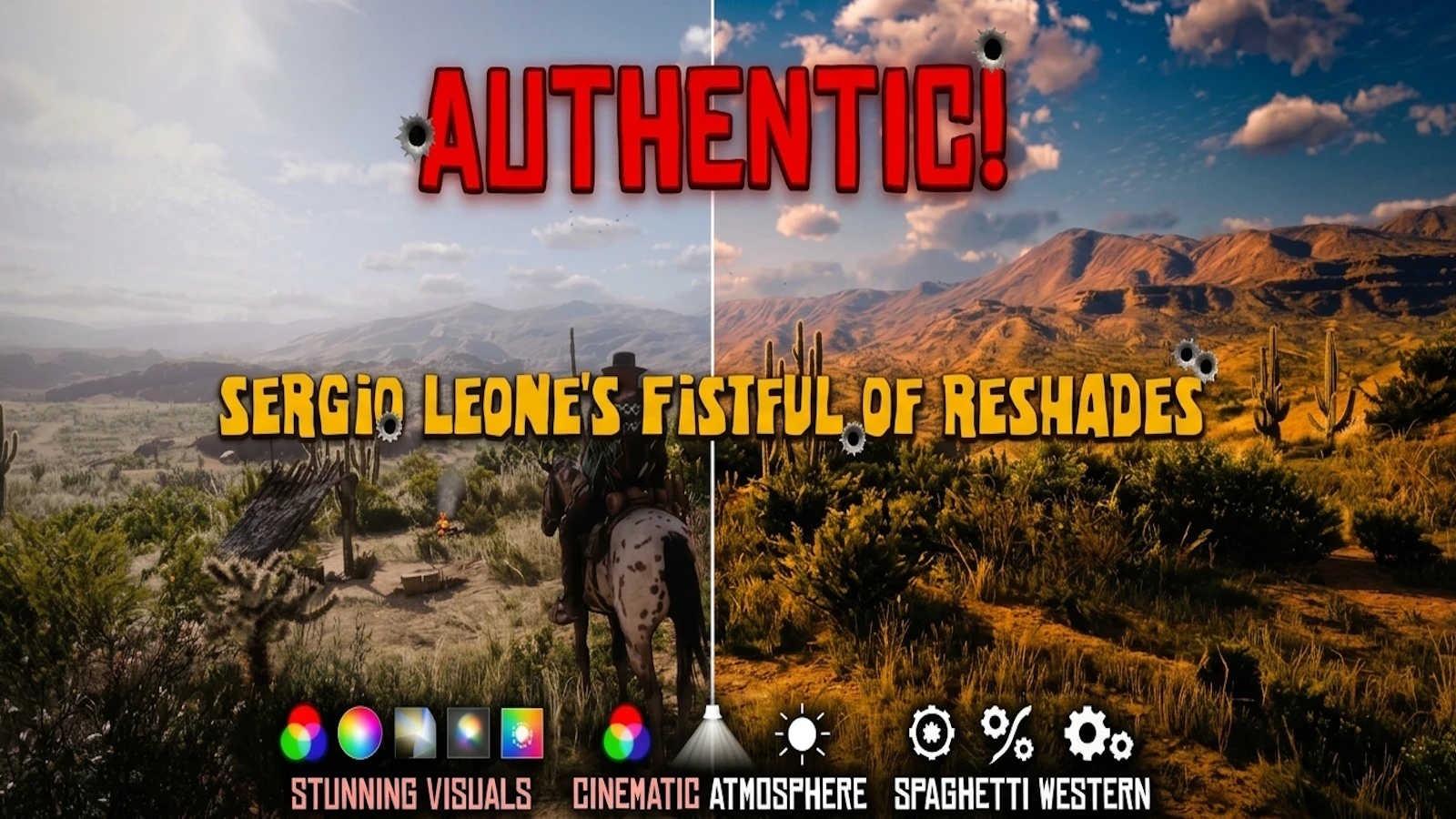
Sergio Leone's Fistful of ReShades
A cinematic, 9-preset ReShade collection built on display accurate, subtractive value architecture. Replicating the raw, gritty, and sun baked photochemical aesthetic of Sergio Leone’s iconic 1960s Spaghetti Westerns, calibrated carefully to eliminate harsh digital over sharpening and grading artifacts.
 查看大图
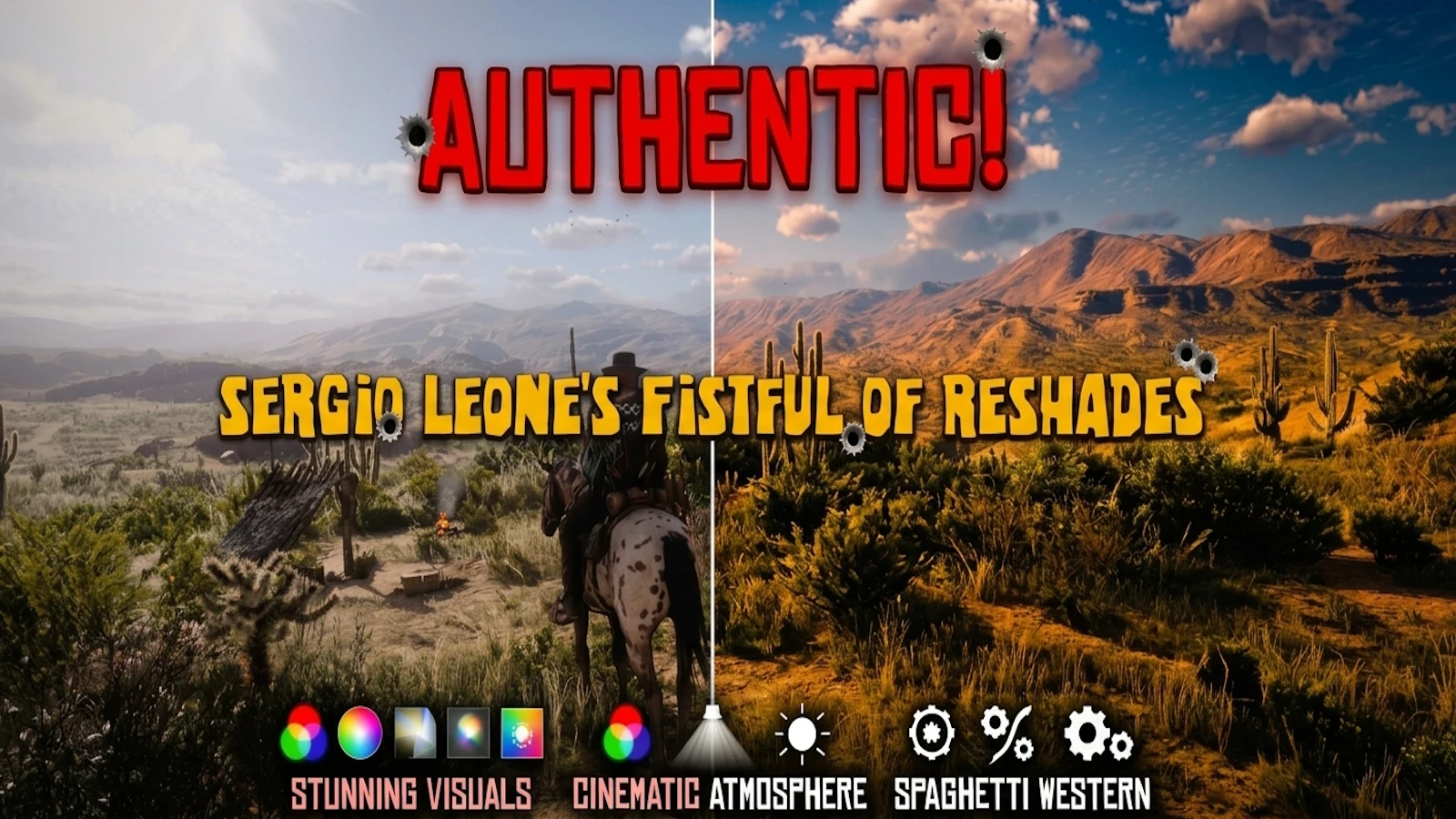
查看大图🤠 Sergio Leone's Fistful of ReShades — Photochemical Spaghetti Western ReShade Pack
A display-accurate, 9-preset collection built to replace modern digital over-processing with the raw, gritty, and sun-baked celluloid aesthetic of Sergio Leone’s iconic 1960s Spaghetti Westerns.
⚠️ CRITICAL STARTUP NOTE (SNAP A PHOTO NOW):
This pack utilizes on-the-fly function keys to tailor the experience if say you don't like film grain or want to disable/enable letterboxing. Memorize or photograph these toggles before launching.
⌨️ Hotkey Layout:
F9: Toggles AmbientLight.fx (Enables/disables weather-adaptive lighting loops)
F10: Toggles Borders (Enables/disables the cinematic 2.35:1 widescreen letterbox if it cuts off your HUD)
F11: Toggles Filmgrain2 (Enables/disables the high-density physical film texture pass)
⛅ Compatibility & Weather Overhauls
The Reference Target: This collection was meticulously tuned and calibrated directly against Natural Light Reworked (NLR). Because NLR strips the engine's artificial tints into a clean, neutral white canvas, it allows the shader math in these presets to bloom perfectly. For the exact reference look I intended, run it alongside NLR!
Universal Support: While optimized to pair beautifully with NLR's neutral lighting, the subtractive value framework plays incredibly well with other major lighting/weather overhauls or even the Vanilla game engine. Feel free to experiment across different setups!
------------------------------
📖 The Backstory
* The Author: As a Skyrim mod author taking a break to play RDR2, I fell deep into the rabbit hole, spending weeks comparing different formats, release years, and vintage broadcasts of these films to capture the true essence of Sergio Leone's work.
* A Different Approach: Most presets rely on hyper-realism via inflation—boosting sharpness, saturation, and brightness. While they might pop on uncalibrated screens, they fracture the image into digital artifacts on a calibrated QD-OLED panel.
* The Goal: I wanted something grounded, crunchy, moody, and cinematic. I aimed to rebuild the look of RDR2's American West as a 1960s chemical film restoration.
------------------------------
🔬 The Photochemical Architecture
Instead of additively boosting values and breaking the game's engine, this pipeline uses subtractive design to mimic authentic film stock:
* 📉 Subtractive Value Curve: A custom negative S-curve flattens harsh digital highlights and pulls rich, deep color into the mid-tones.
* 🎨 Custom Color Timing: Features hand-designed color profiles, a custom Yellow-Cyan split negative framework, and an authentic Kodak 2383 3DCube LUT block for theatrical terrain gradients.
* 🫧 Chemical Bleed: Runs Lilium's Blue Noise at the absolute top of the stack (rounding disabled) to shatter sky gradients sent through custom-designed LUTs, creating a beautiful dye color bleed.
* 🎞️ High-Density Texture: Replaces harsh digital sharpening with FilmGrain2.fx locked at a strict minimum floor size of 1.5 for a fine, tight celluloid texture pass.
------------------------------
🚫 The War on Color Banding
Let’s be honest: unless you play in true HDR, completely eliminating sky banding on an SDR panel is impossible. Instead of selling snake oil, I built a highly calculated pipeline to aggressively mask, hide, and blend it out of sight:
1. Lilium Before the LUT: Processes the image at the absolute top of the stack before the color space is altered.
2. The Bottom Safety Net: A dedicated debanding pass combined with a micro-dithering safety net sits at the absolute bottom of the stack.
3. The Final Frame: This clean, dithered gradient feeds directly into FilmGrain2.fx as the final output layer.
The result is a meticulously blended, heavily masked gradient that is practically unnoticeable on a properly calibrated screen.
------------------------------
🎮 The 9-Preset Suite
[youtube]-6Qx6o2QtcQ[/youtube]
* Slot 01: Leone_1964_Fistful_Eastman_35mm.ini
* The Flagship: Pure 1964 Eastmancolor negative chemistry with bone-dry sand and raw minty-jade foliage. Ships with everything ON by default (Borders, Ambient Light, Vignette) for the ultimate out-of-the-box cinematic showcase.
* Slot 02: Leone_1965_FewDollarsMore_Techniscope.ini
* Techniscope Mode: Clamped to a strict 0.263 contrast curve to replicate low-budget 2-perforation celluloid processing. (Borders ON, Ambient Light ON, Vignette ON)
* Slot 03: Leone_1966_Burgos_Filmic_Desierto.ini
* Desert Realism: Filmic architecture mapped over a custom Yellow-Cyan split LUT. Mimics airy, parched Spanish sun realism. (Borders OFF, Ambient Light ON, Vignette ON)
* Slot 04: Leone_1966_GoodBadUgly_IB_Print.ini
* Dye-Transfer Look: Massive caked-in pigment density with deep shadow cuts and historical print bleed allowed in clouds. (Borders ON, Ambient Light OFF, Vignette OFF)
* Slot 05: Leone_1970_Cinetools_18.ini
* Syndication Print: Stylized, sun-bleached, amber-baked look mimicking 1970s late-night TV broadcast prints. (Borders OFF, Ambient Light ON, Vignette OFF)
* Slot 06: Leone_1998_Fistful_CRT_Broadcast.ini
* CRT Retro: Late-90s television broadcast master that shifts the upper skybox into a faded cobalt-cyan ice blue. (Borders ON, Ambient Light ON, Vignette OFF)
* Slot 07: Leone_2000_Fistful_DVD_150.ini
* Home Video: Legendary 2000s DVD transfer look. Maximum open shadow "saloon clarity" with zero night moon artifacts. (Borders ON, Ambient Light ON, Vignette OFF)
* Slot 08: Leone_Cine_Kodak_2383.ini
* Modern Cinema: Modern Hollywood print-film stock. Injecting deep, atmospheric teal-cyan shadow bias into terrain gradients. (Borders OFF, Ambient Light ON, Vignette ON)
* Slot 09: Leone_Trilogy_Kodak_2383.ini
* Theatrical Projection: A high-contrast, deeply moody alternative theatrical look. (Borders ON, Ambient Light ON, Vignette ON)
------------------------------
📁 Foolproof Installation Guide
🧱 Step 1: Core Prerequisite
You must have ReShade installed for Red Dead Redemption 2 before adding this pack. If you do not have it, download the latest version from the official ReShade website. Install it using the DirectX 12 or Vulkan rendering API, depending on your in-game graphics settings. Make sure to install all the addon/Shaders. If you need a hand feel free to ask and I will try to help walk you through it.
🚚 Step 2: Drag and Drop
Download and extract the .zip file for this collection. Select everything inside the extracted folder (the 9 .ini preset files AND the reshade-shaders folder).Drag and drop them directly into your main Red Dead Redemption 2 root directory (the folder where your RDR2.exe lives).
🔄 Step 3: Overwrite
When prompted by Windows, click "Yes" to overwrite existing files. This seamlessly injects my custom blurred Dirt lens textures and places my master LUT files exactly where the shader pipelines expect them.
🎮 Step 4: Boot and Select
Launch the game and open your ReShade overlay menu. Use the top drop-down menu to switch between any of the 9 Leone Collection profiles on the fly! Right click on any preset and assign it to a hotkey for easy swapping. I like to enable Num lock, and assign each of the 9 presets to the numerical pads 1-9. Disable Num lock when not in use and Re-enable when you want to cycle between the presets.
⌨️ Hotkey Layout (Just incase you missed it the first time!)
* F9: Toggle AmbientLight.fx (Quickly cycle weather-adaptive light vs. performance)
* F10: Toggle Borders (Instantly jump between 16:9 gameplay and 2.35:1 cinematic letterbox)
* F11: Toggle Filmgrain2 (Instantly clean or texture the celluloid frame)
------------------------------
🍻 The Final Trail
Look, if these presets aren't your cup of coffee, that is totally fine. Art is subjective! But if you do dig this gritty cinematic trip back, please consider hitting that Endorse button, throwing a kudos my way, or leaving a comment.....Or just do whatever you feel like doing... just don't say I never did anything for ya! ;p
正在加载版本记录…
正在加载评论…
评论在新手盒子客户端中发表,这里同步展示。